How To Purchase & Download Guides

Select whether you will be using an Android or iOS device

We’ve created 3 versions of this how-to guide with screenshots that match different devices and software.

Choose the tab that fits your phone and app version to follow the correct steps:

Explore the Store

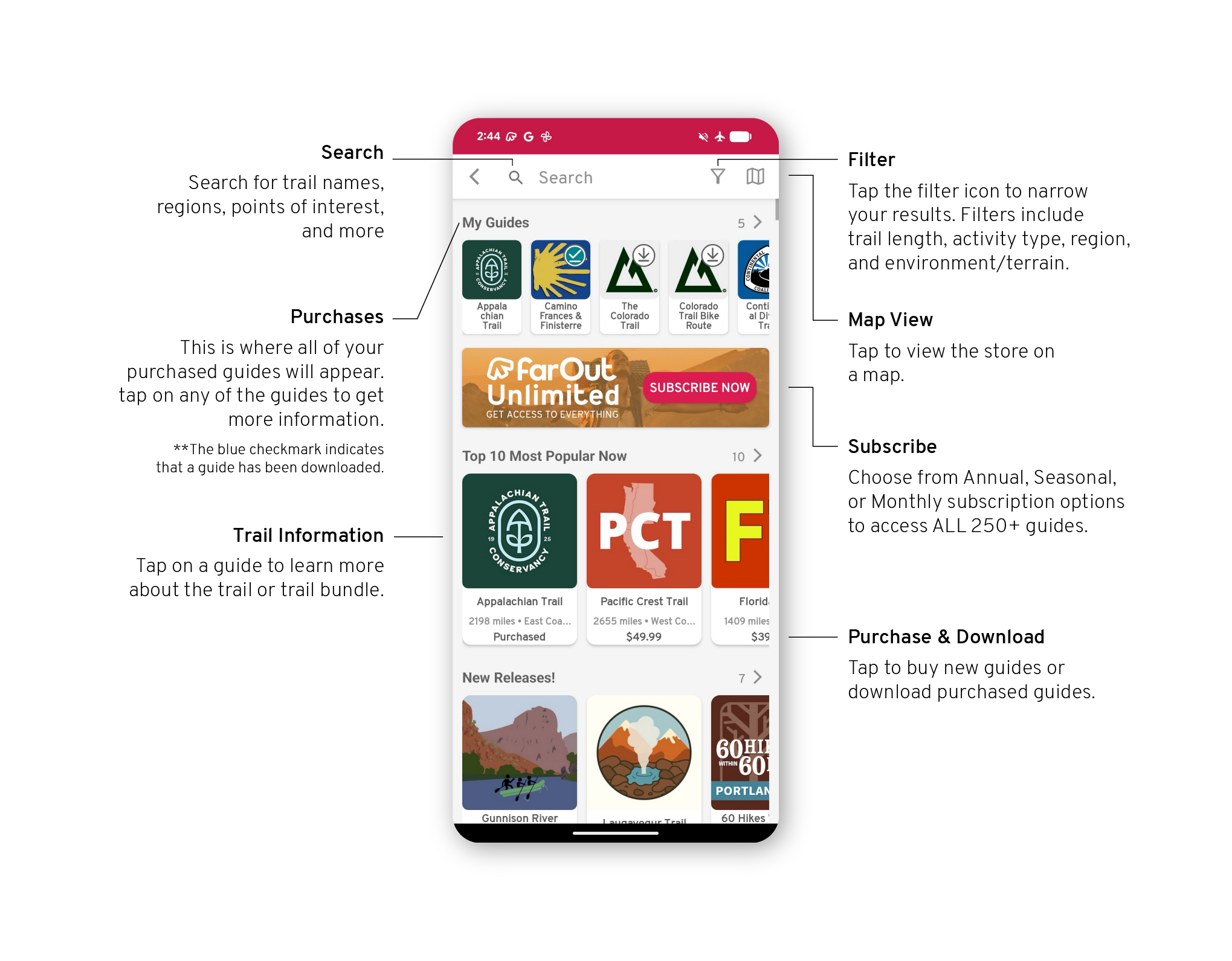
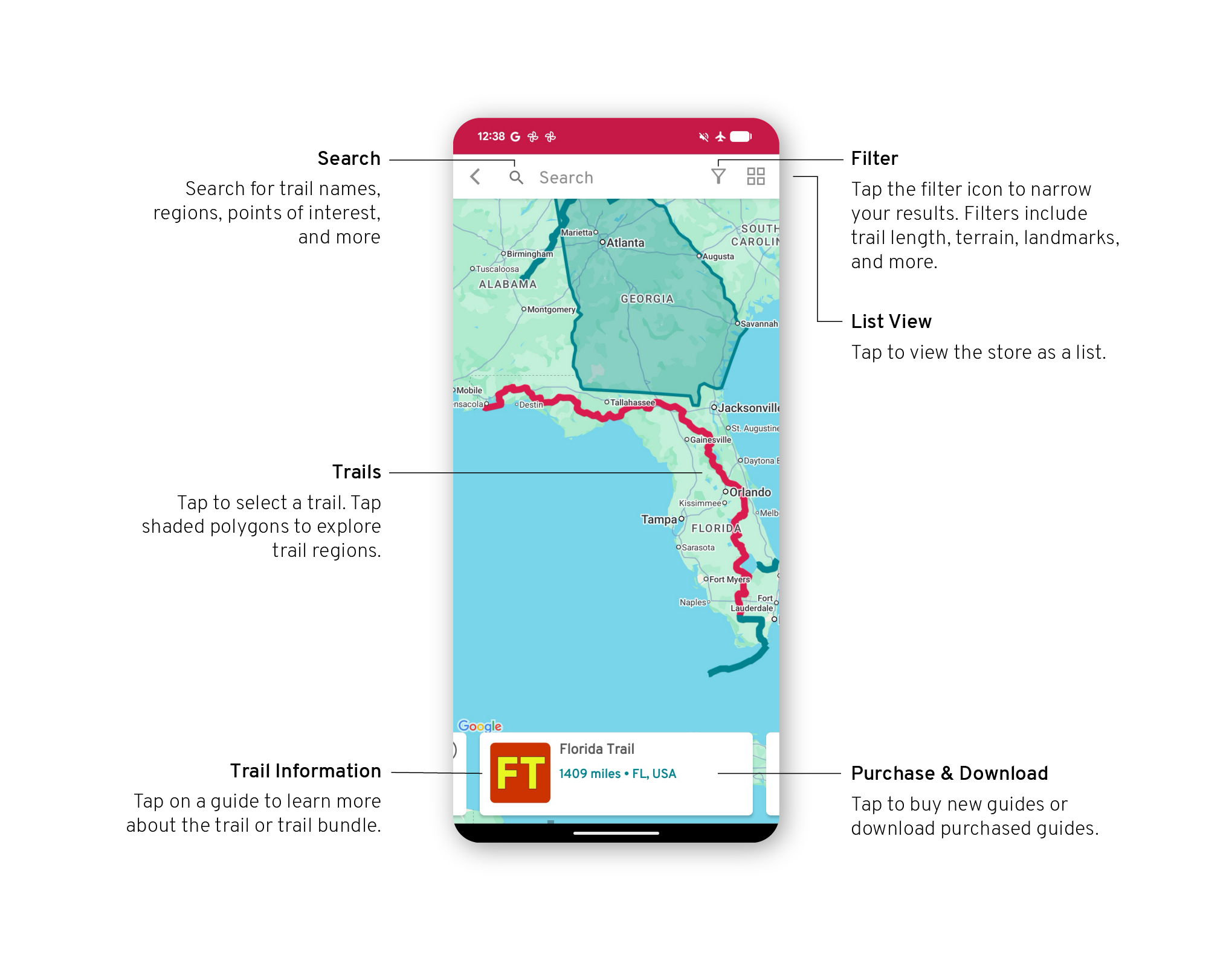
To explore guides and switch guides once purchased, open the “Explore” tab in your app.
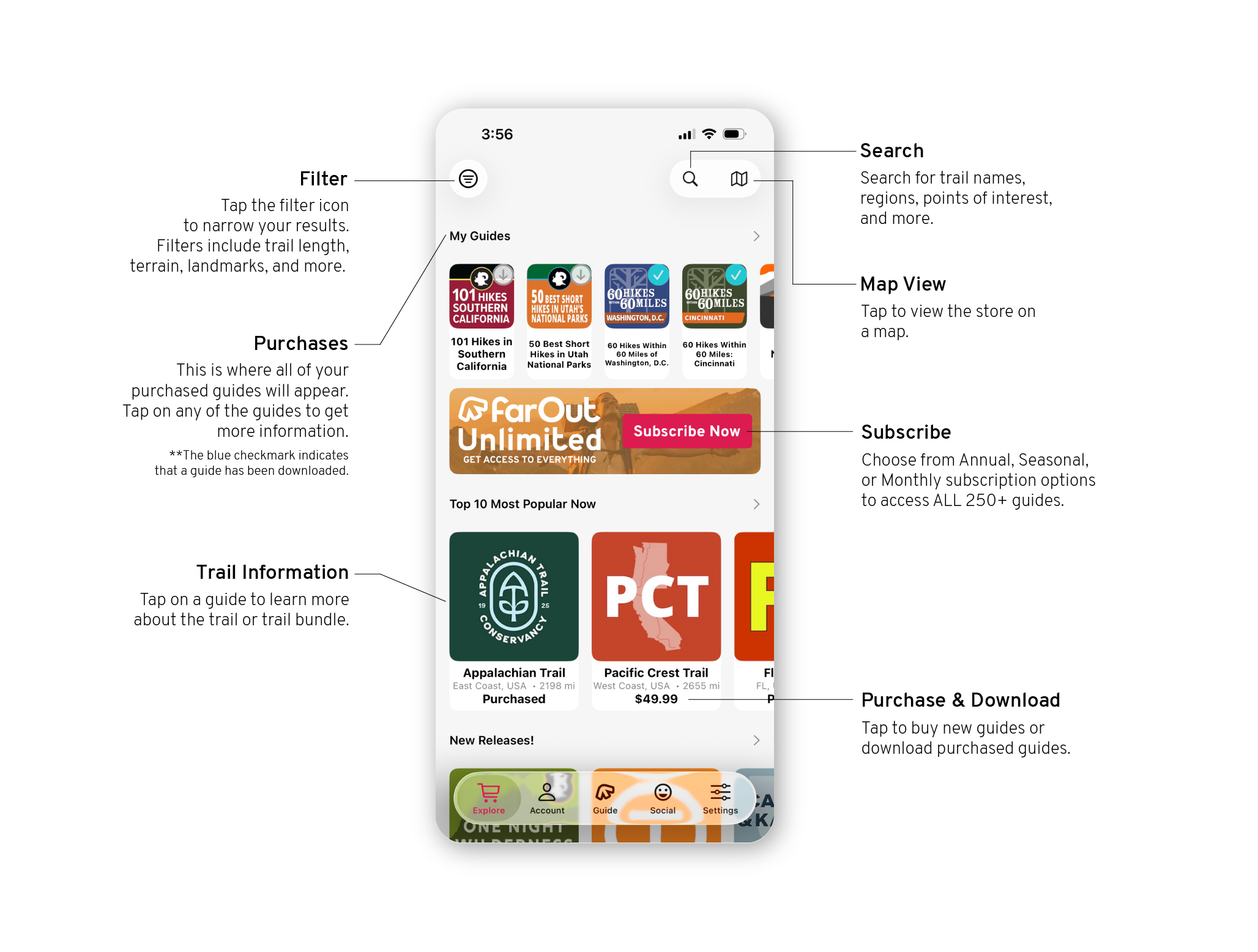
iOS26 how to - store view
iOS26 how to - store map view

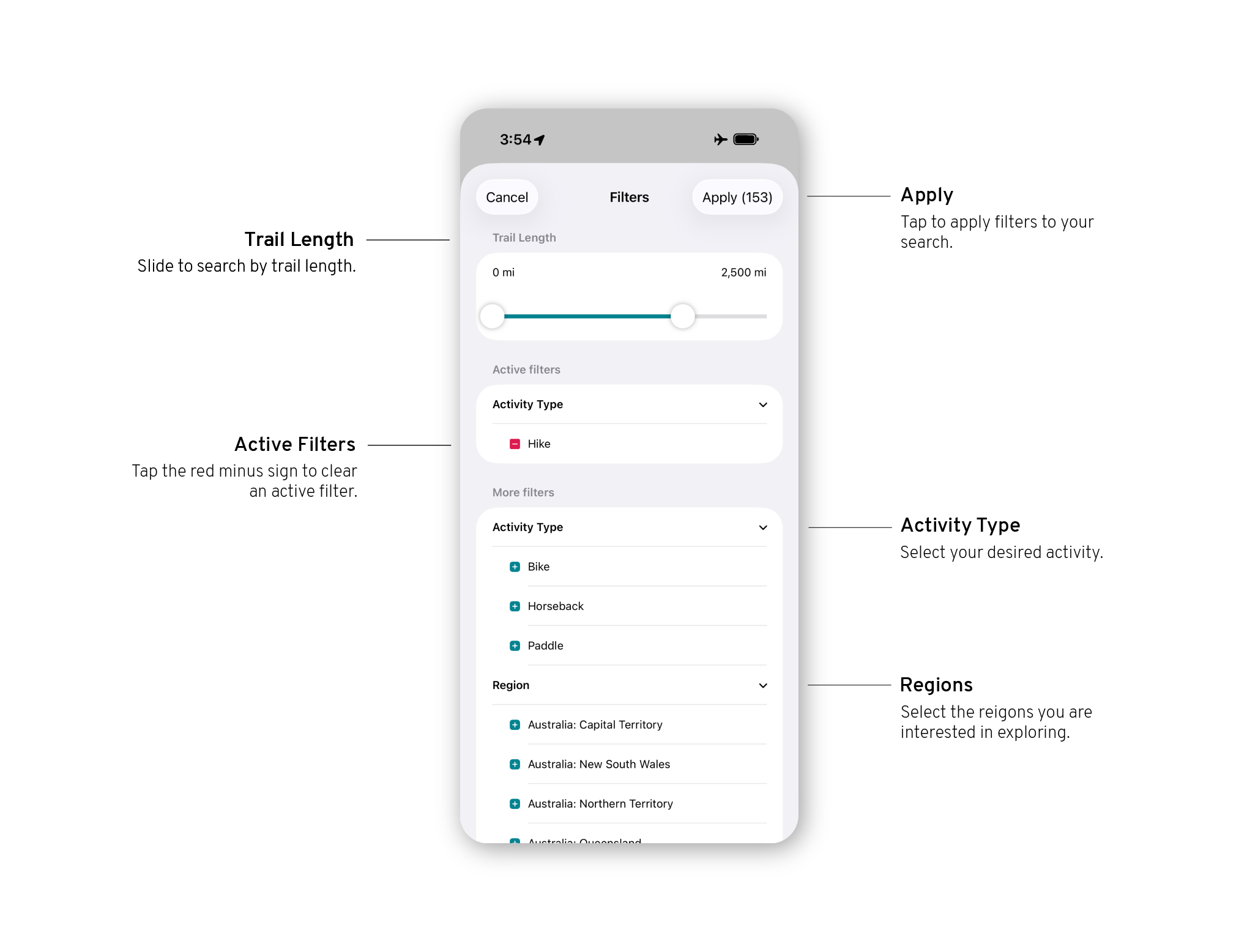
Filters

iOS26 how to - store filters

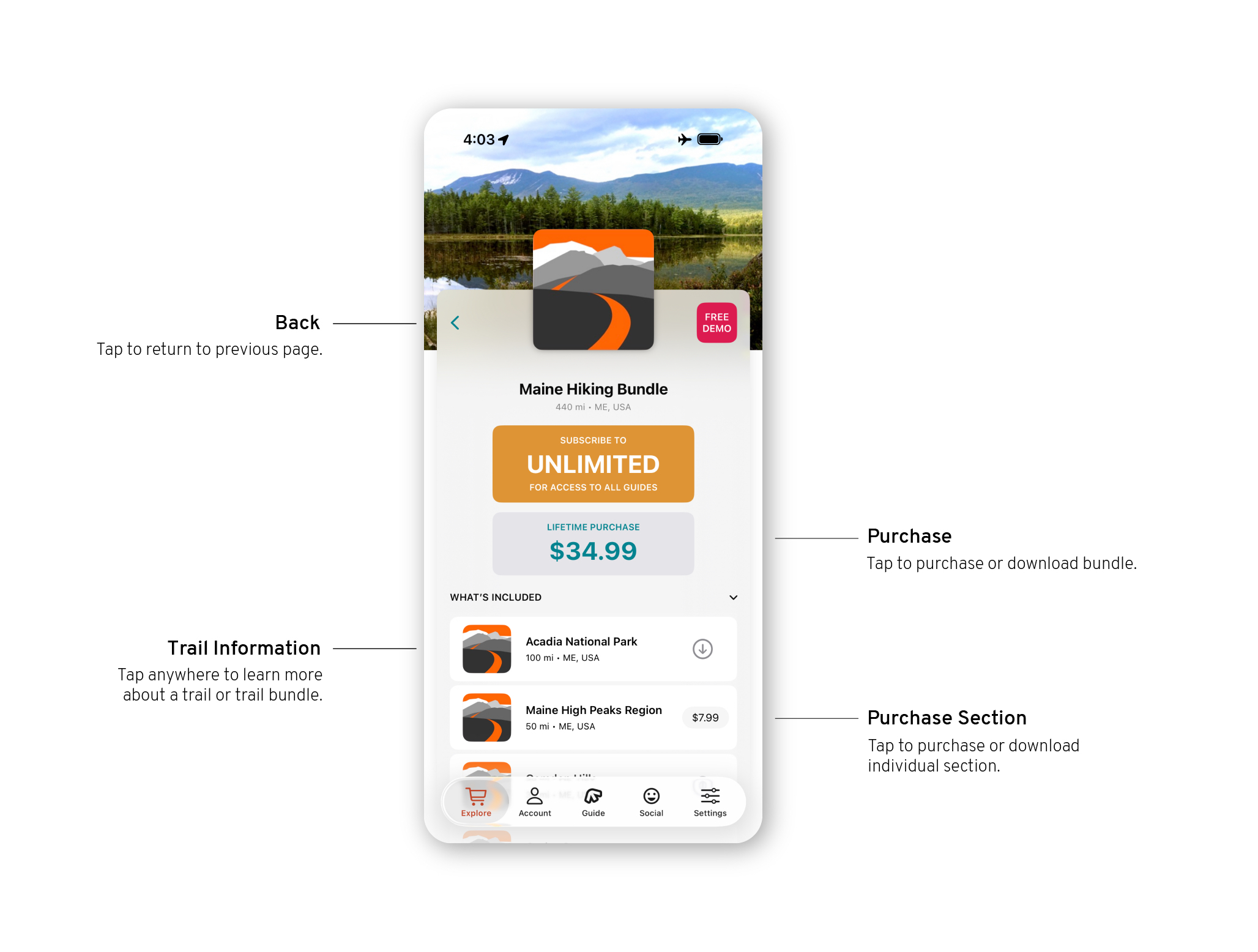
Guide Details

iOS26 how to - store guide details
iOS26 how to - store guide
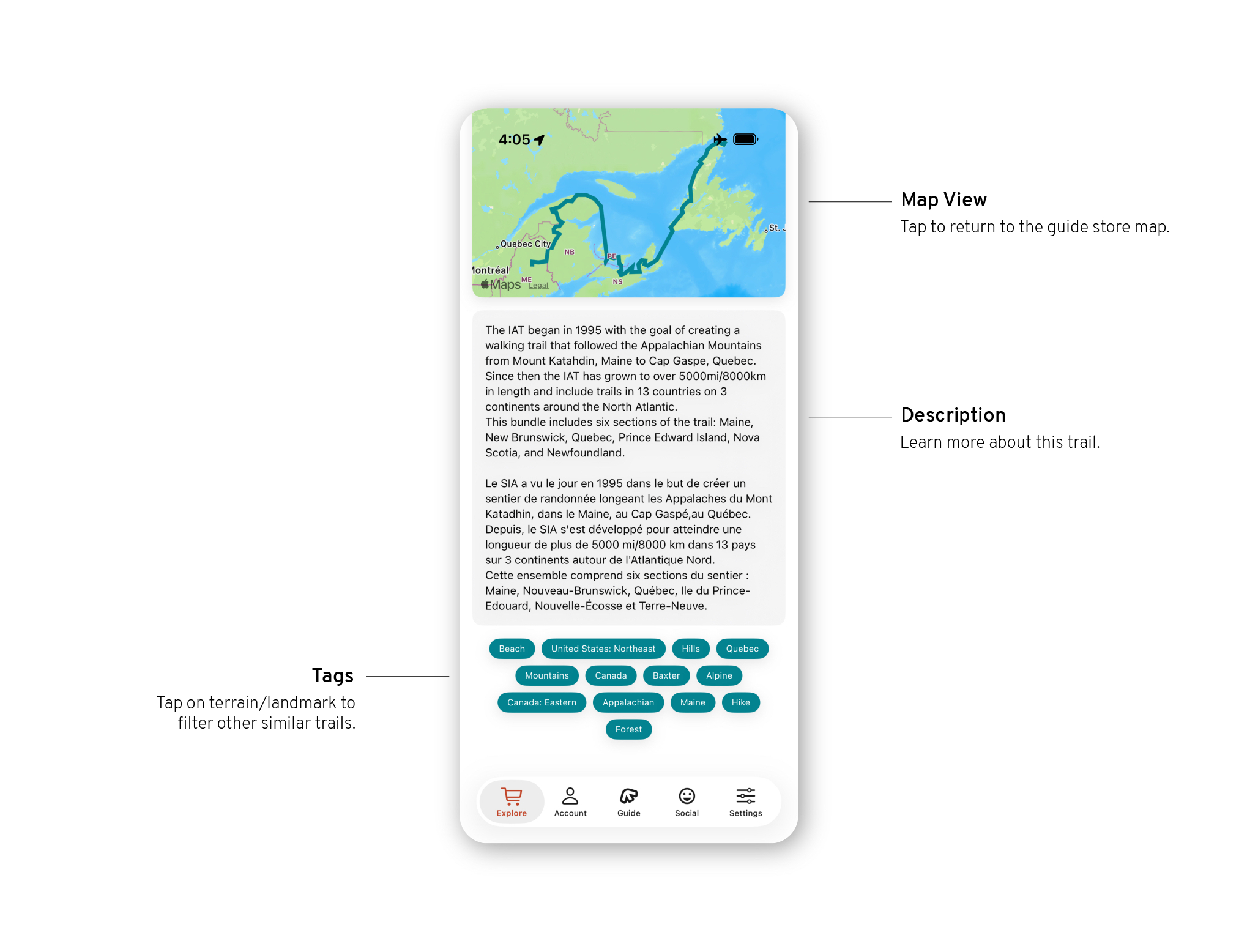
iOS26 how to - store guide info

Store

To explore guides and switch guides once purchased, open the “Store” tab in your app.

Filters

Guide Details

Store

Tap “Explore guides” in the main menu. This is where you will explore and purchase new guides, as well as switch sections and open other guides.

Learn about your main menu here.

FarOut app Android screenshot of how to for store view
FarOut app Android screenshot of how to for store view on the map

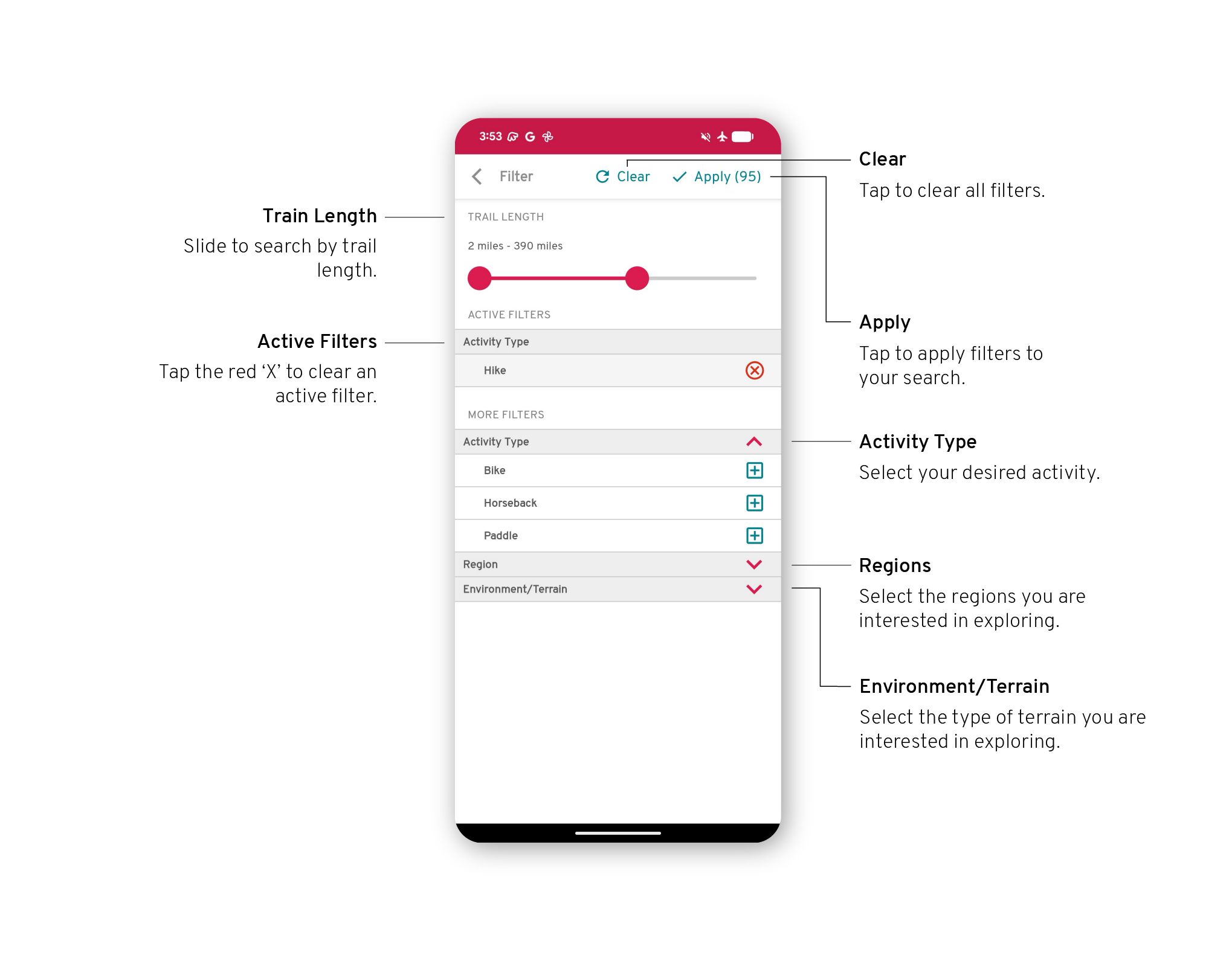
Filters

FarOut app Android screenshot of how to for store filter

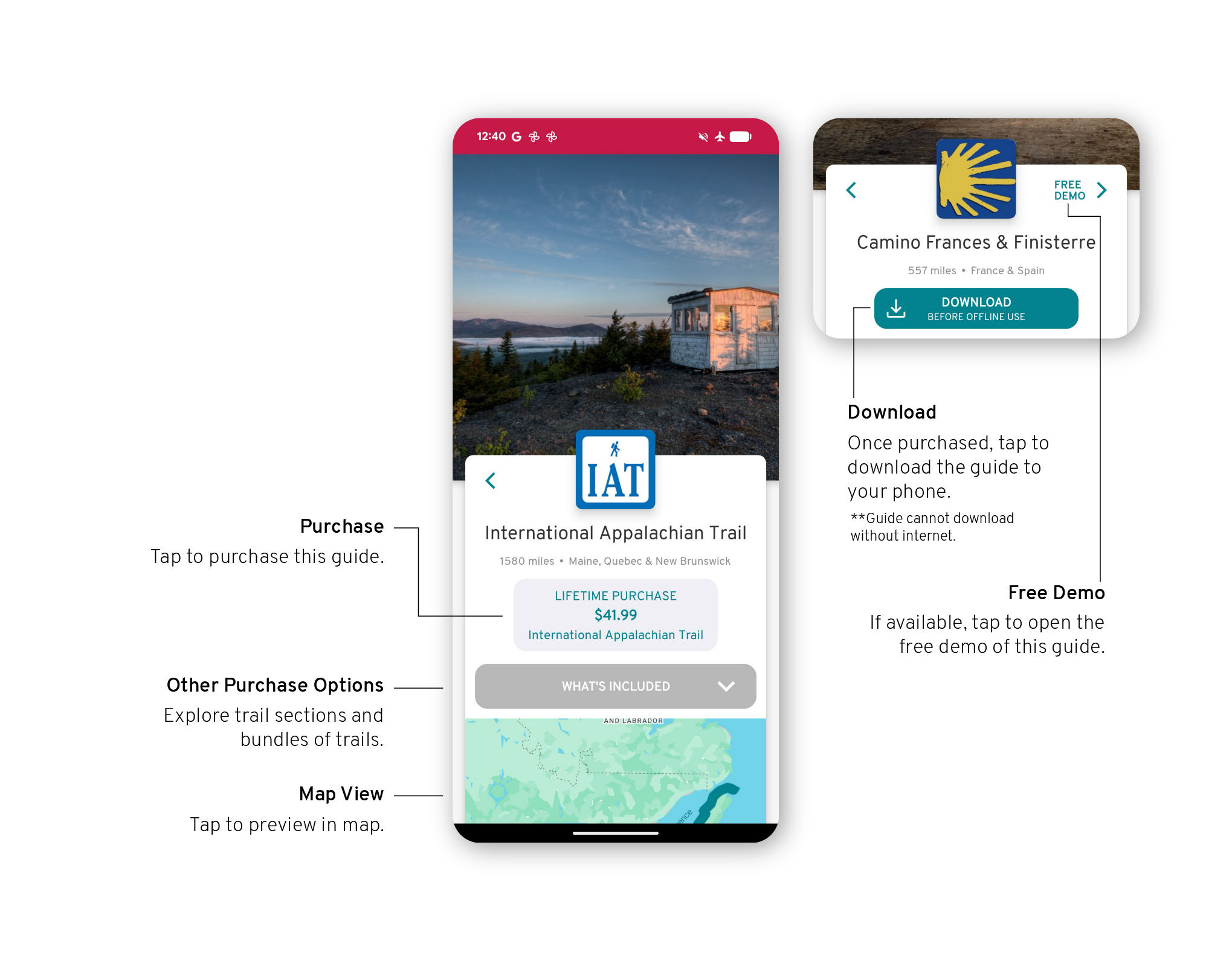
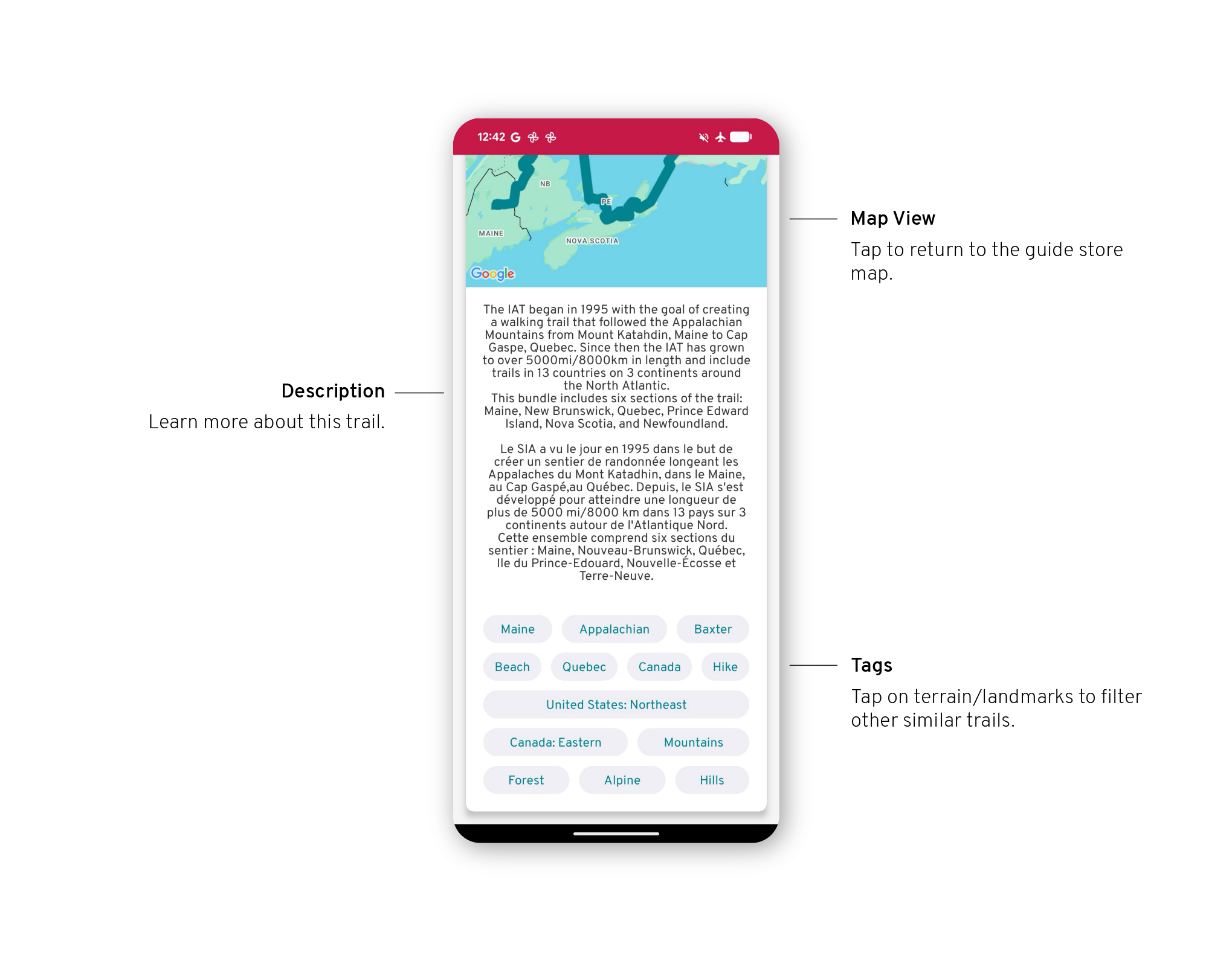
Guide Details

FarOut app Android screenshot of how to for guide info
FarOut app Android screenshot of how to for more guide info

Explore the Store

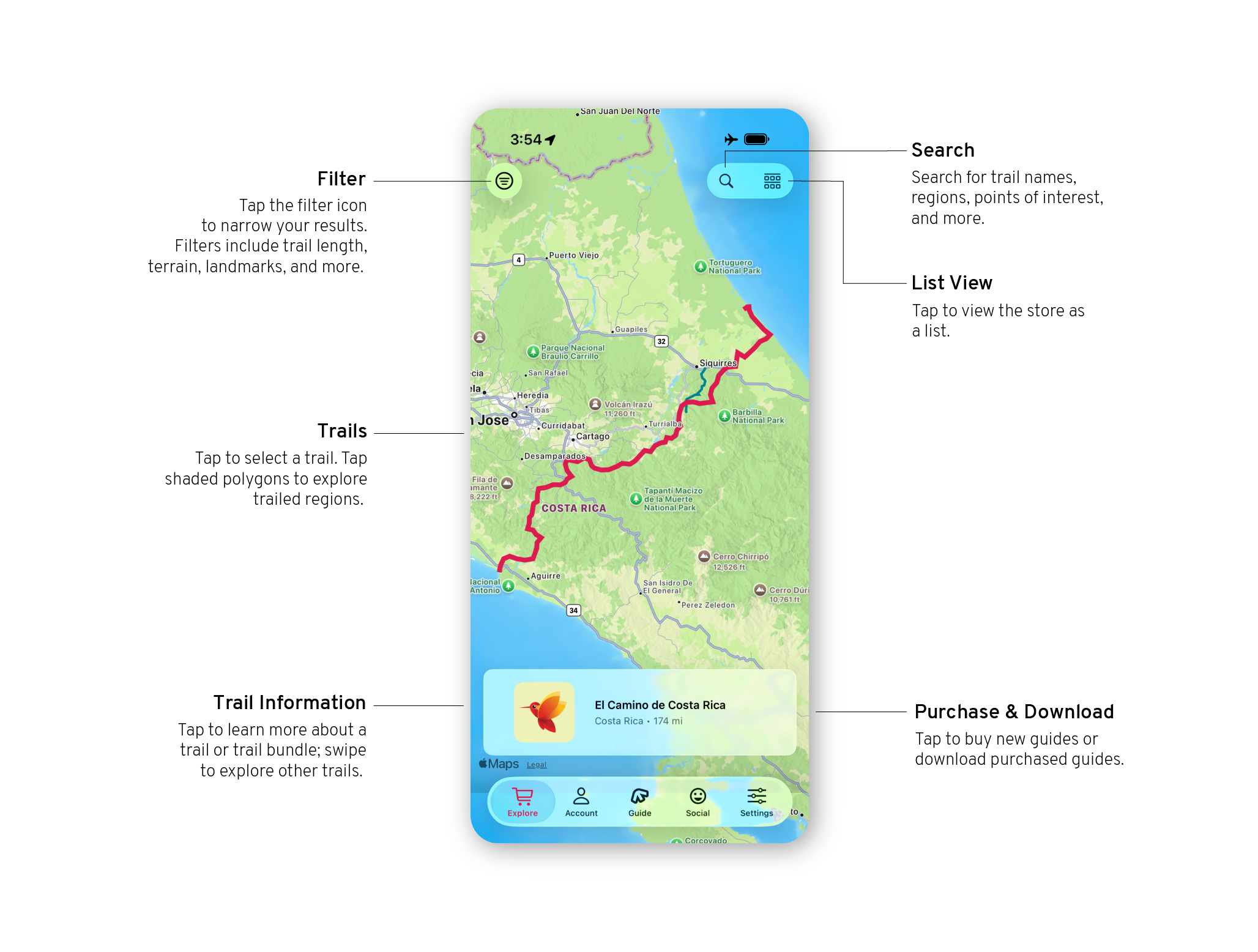
To explore guides and switch guides once purchased, open the “Explore” tab in your app.
iOS26 how to - store view
iOS26 how to - store map view

Filters

iOS26 how to - store filters

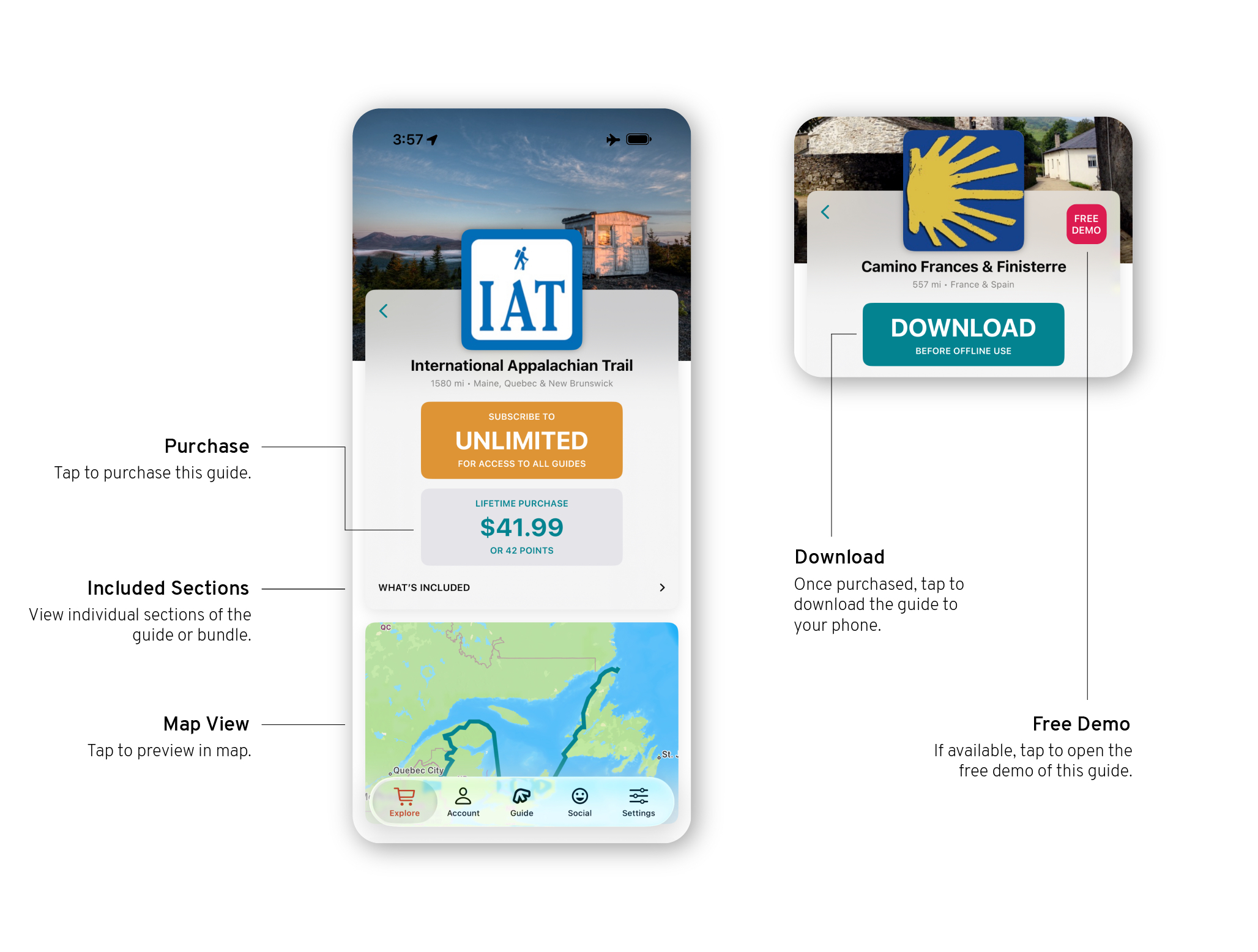
Guide Details

iOS26 how to - store guide details
iOS26 how to - store guide
iOS26 how to - store guide info

Store

To explore guides and switch guides once purchased, open the “Store” tab in your app.

Filters

Guide Details
Main Store

Open the “Change Guide” tab from your main menu. This is where you will explore and purchase new guides, as well as switch sections and open guides that you know.

Learn about your main menu here.

FarOut app Android screenshot of how to for store view
FarOut app Android screenshot of how to for store view on the map

Filters

FarOut app Android screenshot of how to for store filter

Guide Details

FarOut app Android screenshot of how to for guide info
FarOut app Android screenshot of how to for more guide info

Still have questions? Please reach out to support@faroutguides.com and we’d be happy to help!