Buying and downloading guides
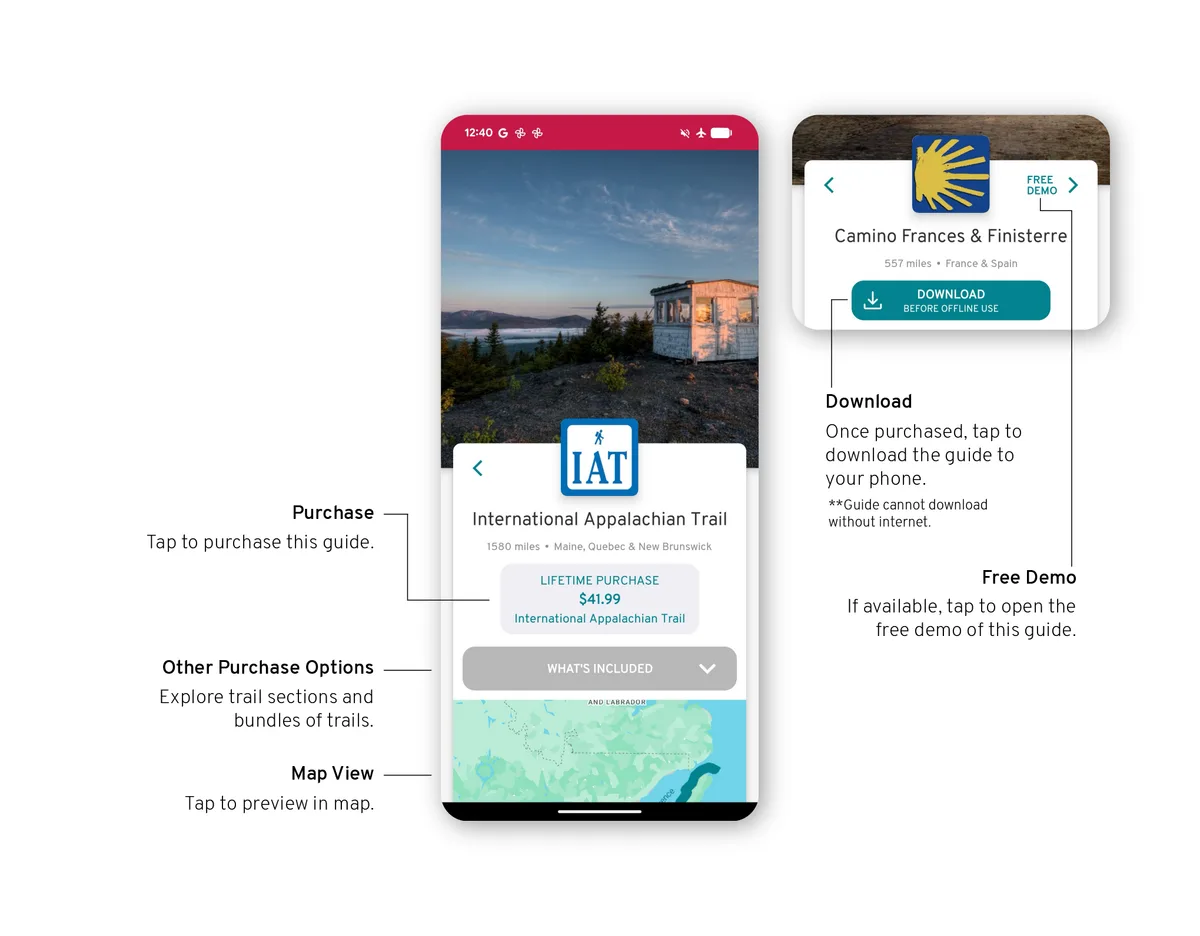
Every guide is bought once and is yours on every device you sign in to. You can buy in the app, as shown below, or on this website: find the guide under Guides and it is in your app as soon as you sign in there with the same account.
Explore
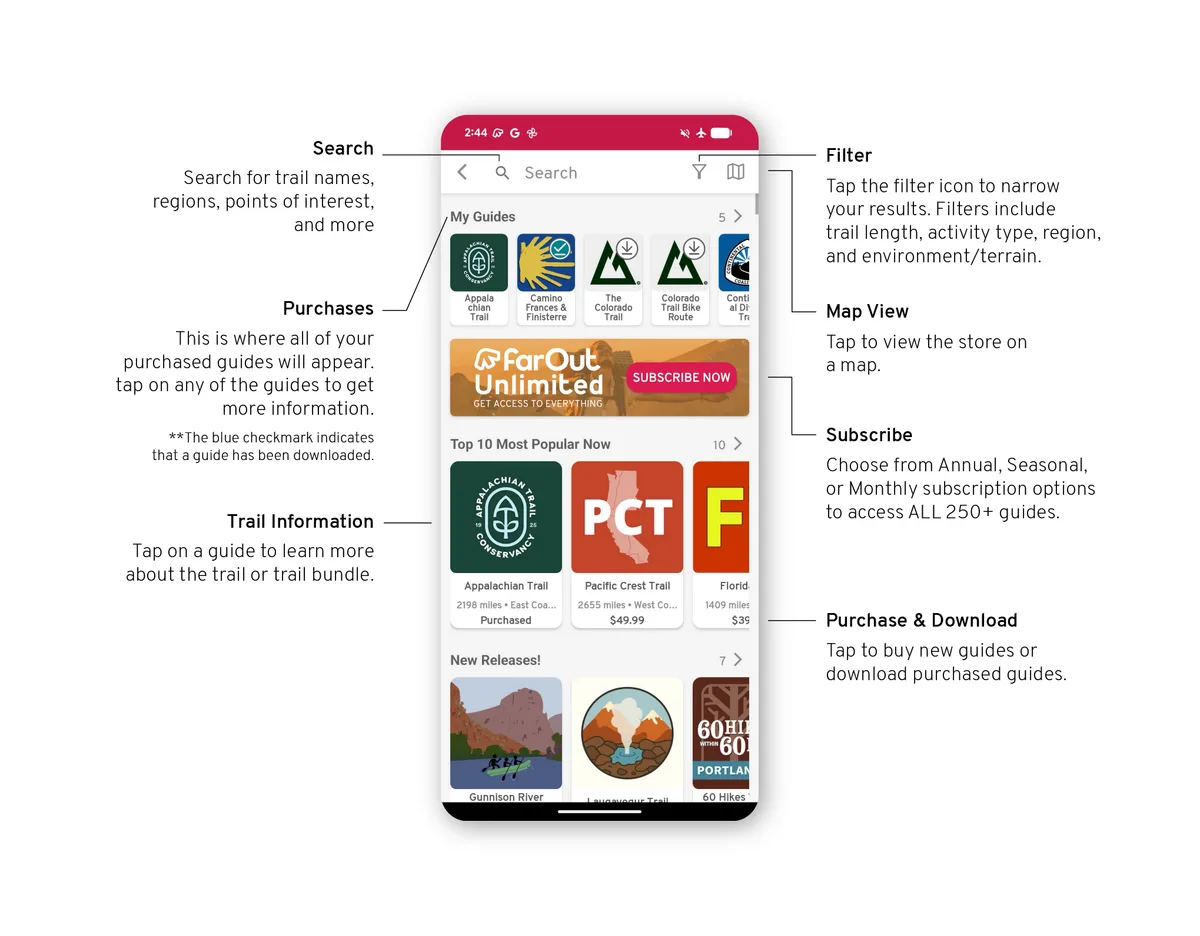
To browse guides, and to switch guides once you own several, open the Explore tab. Your purchases are at the top under My guides.
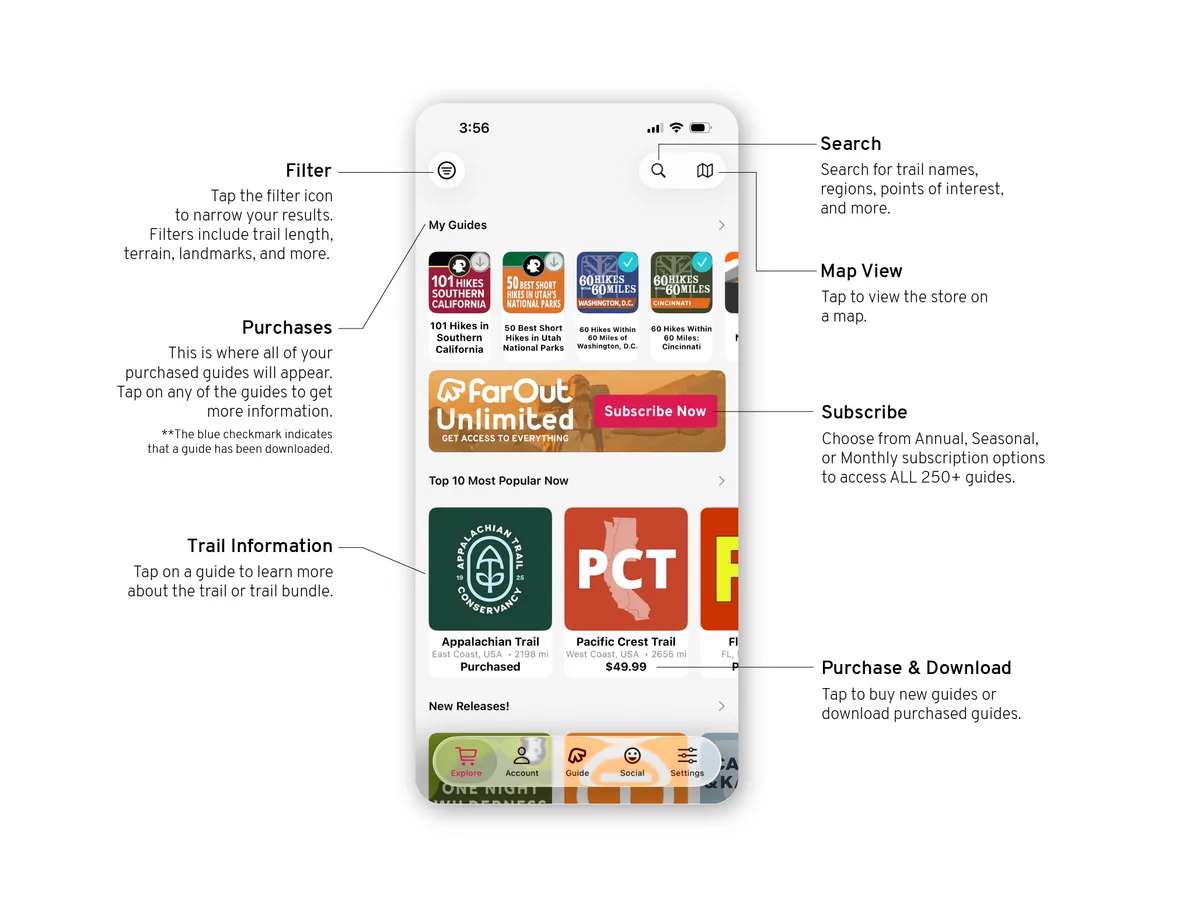
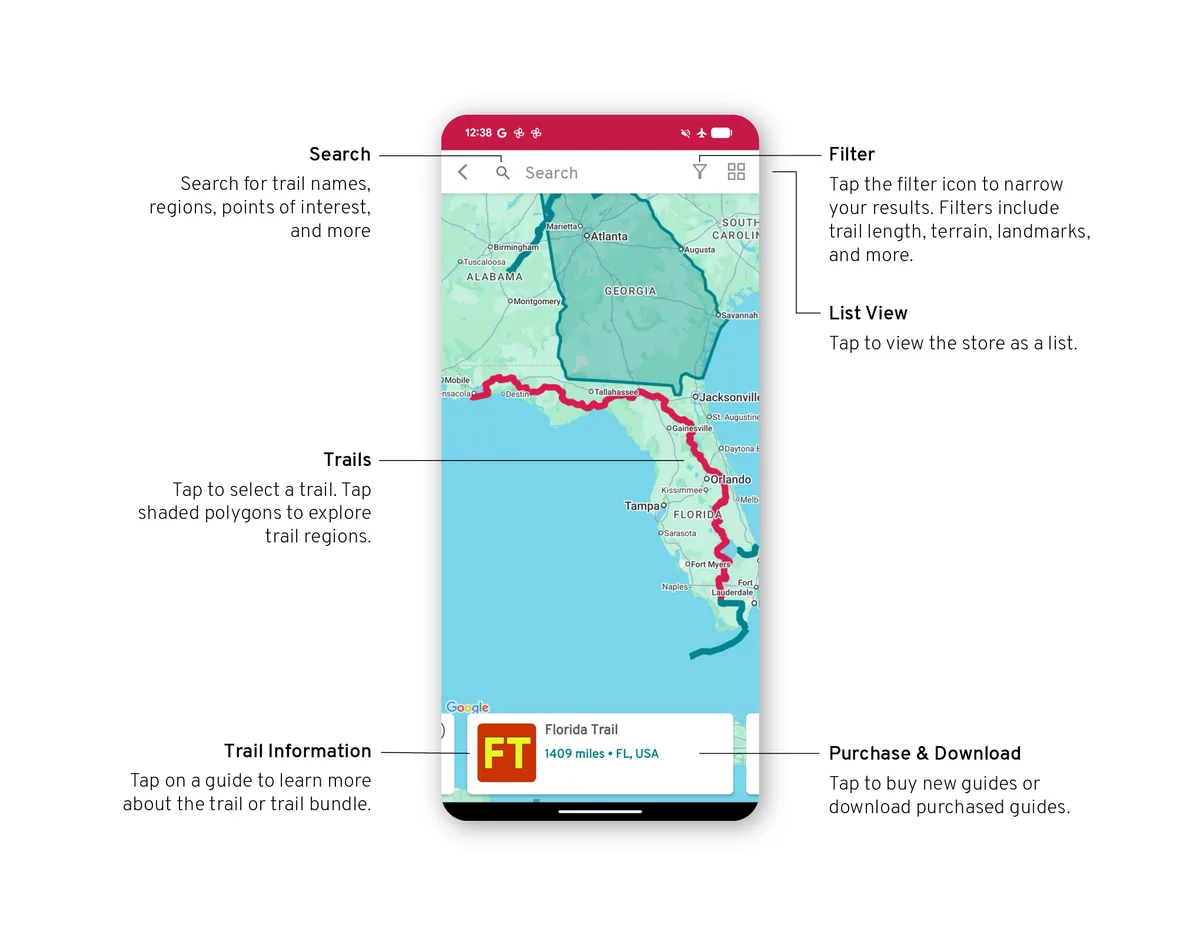
Tap the map button to see the guides on a map instead of a list.
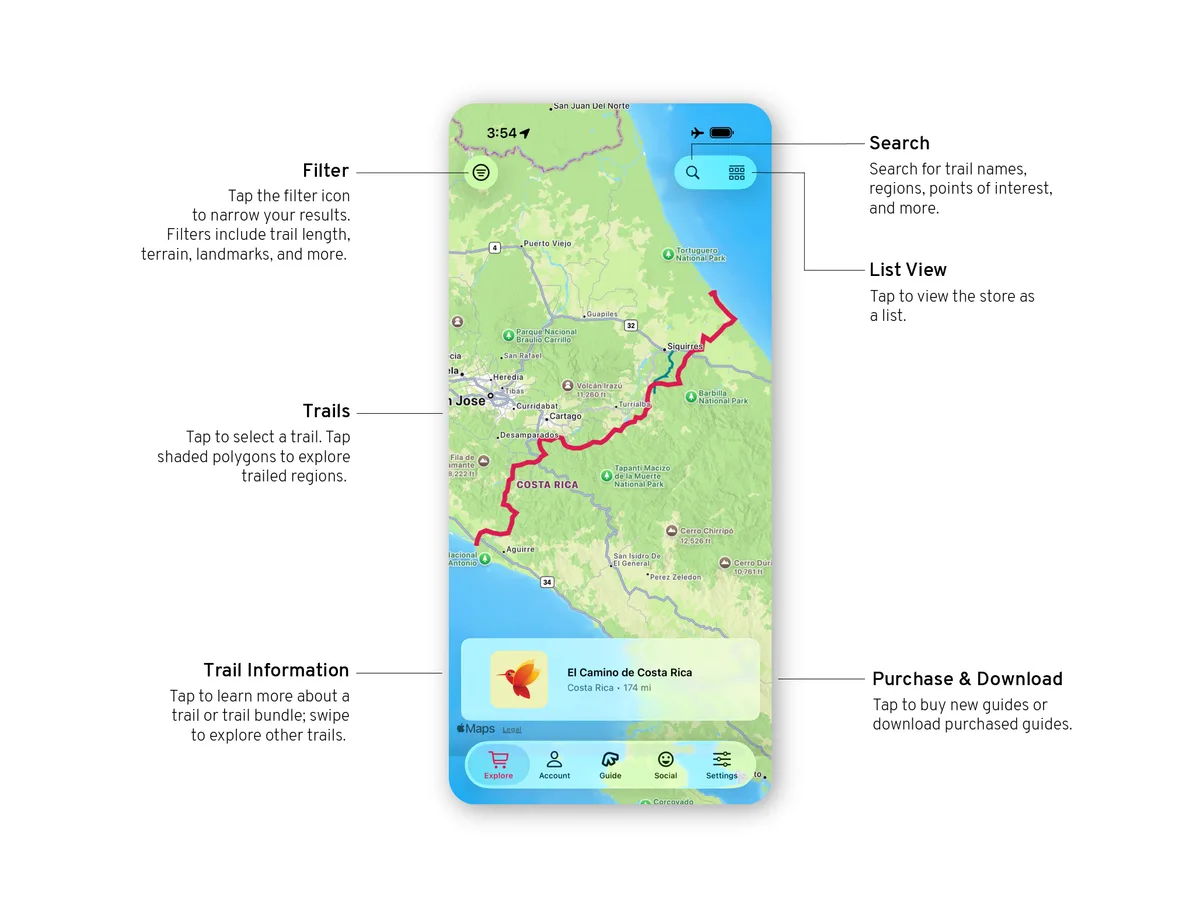
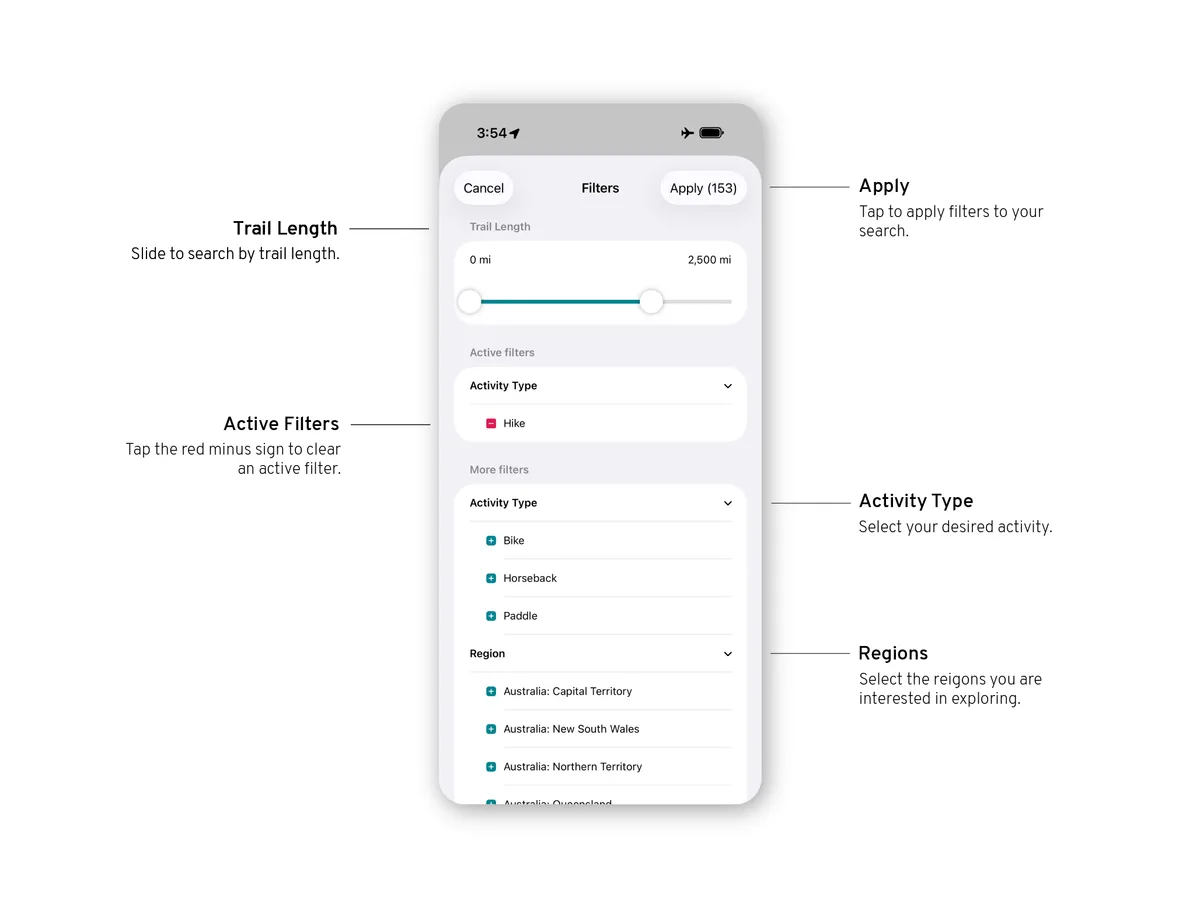
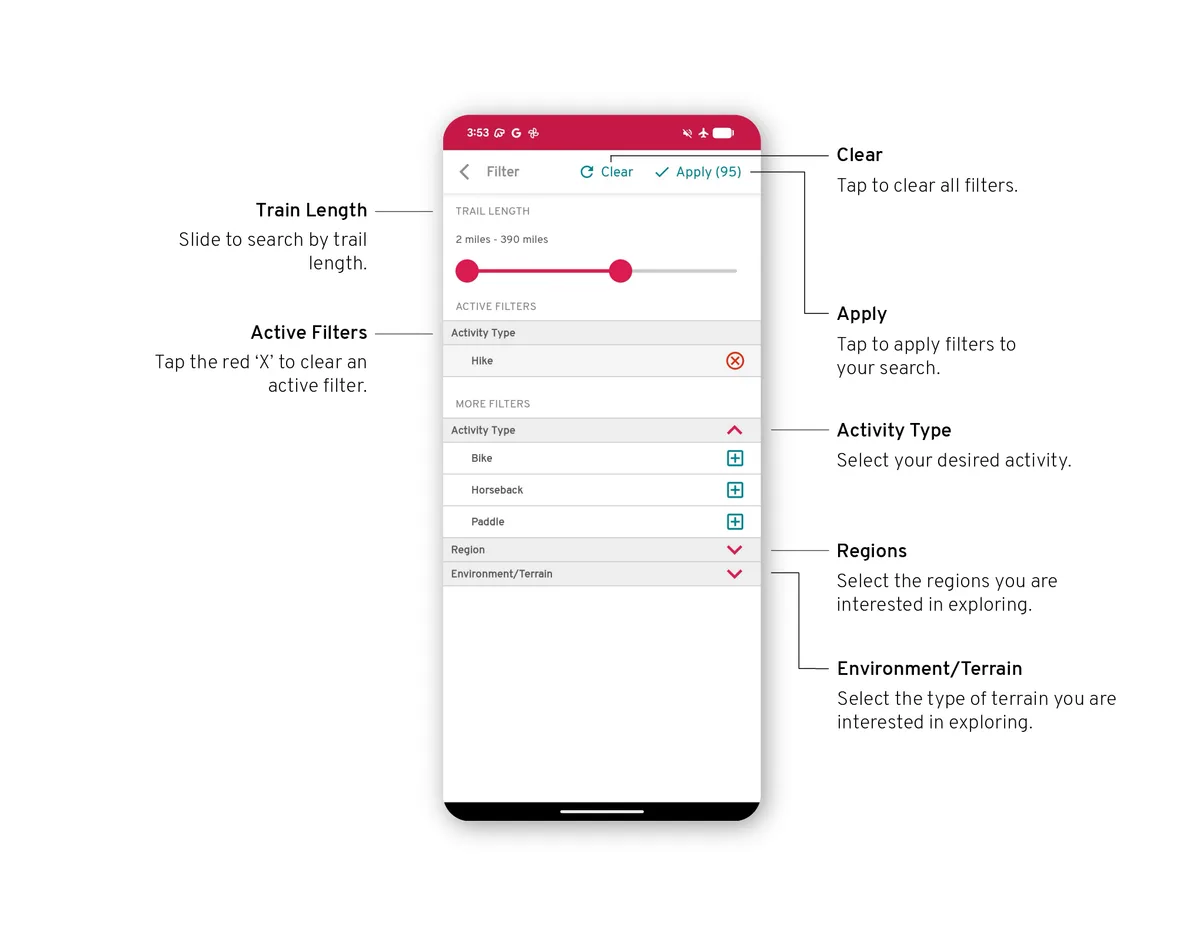
Filters
Narrow the list by activity, region and more.
Guide details
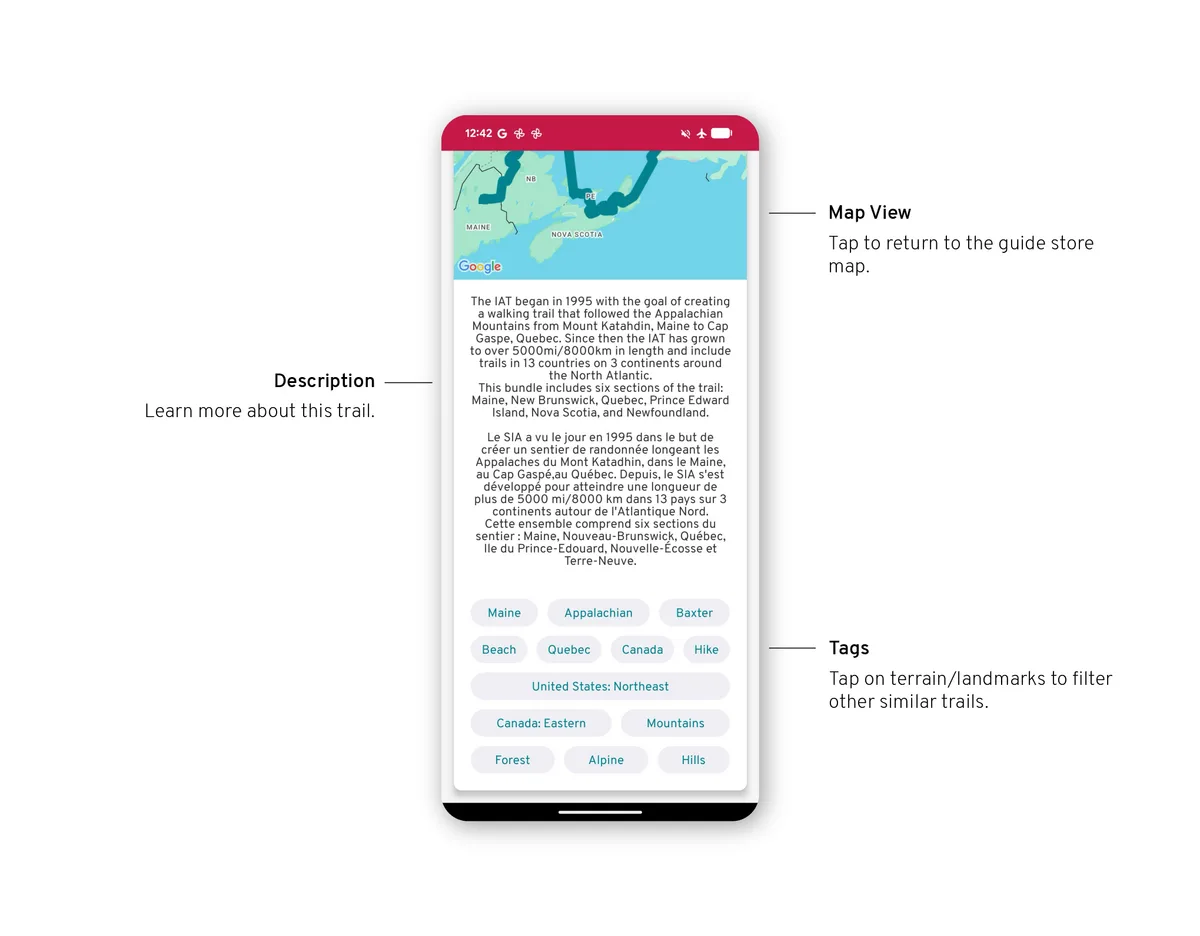
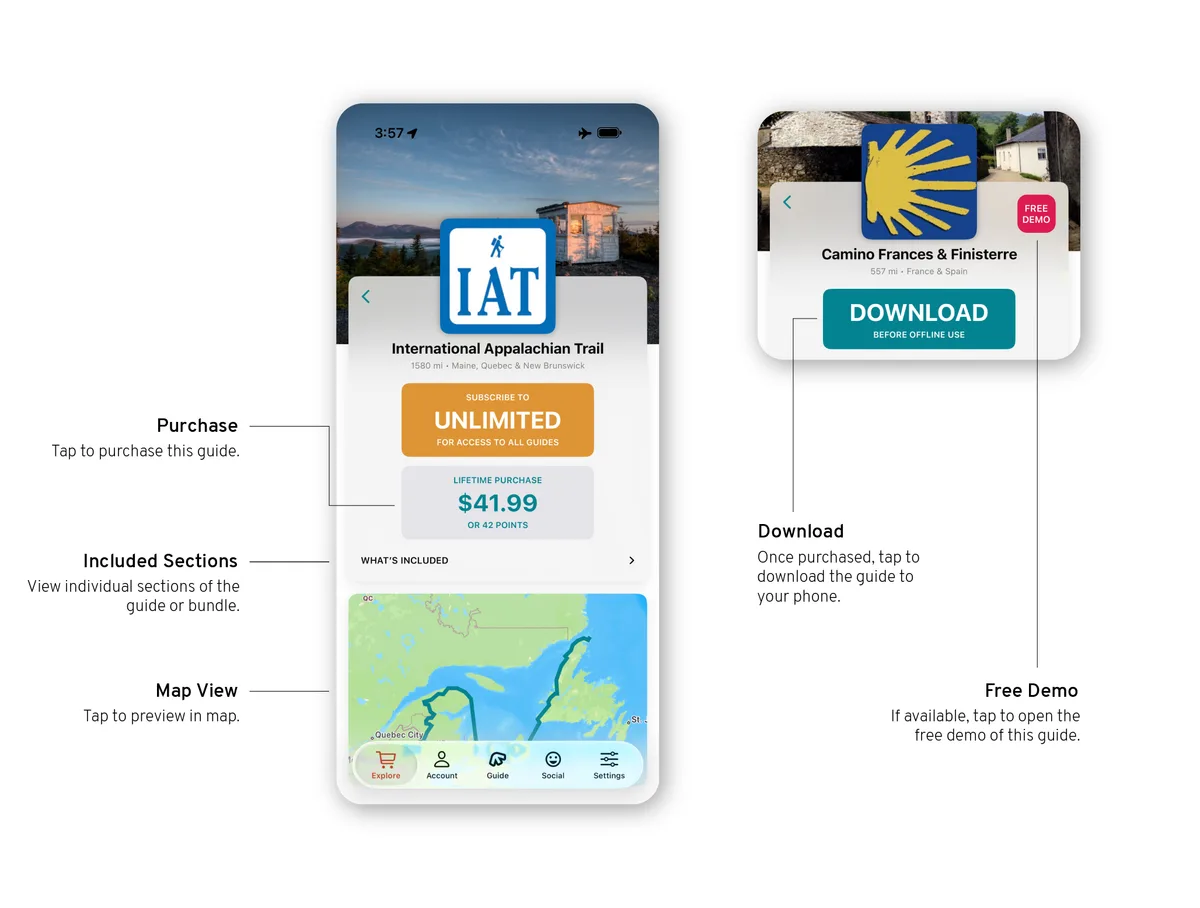
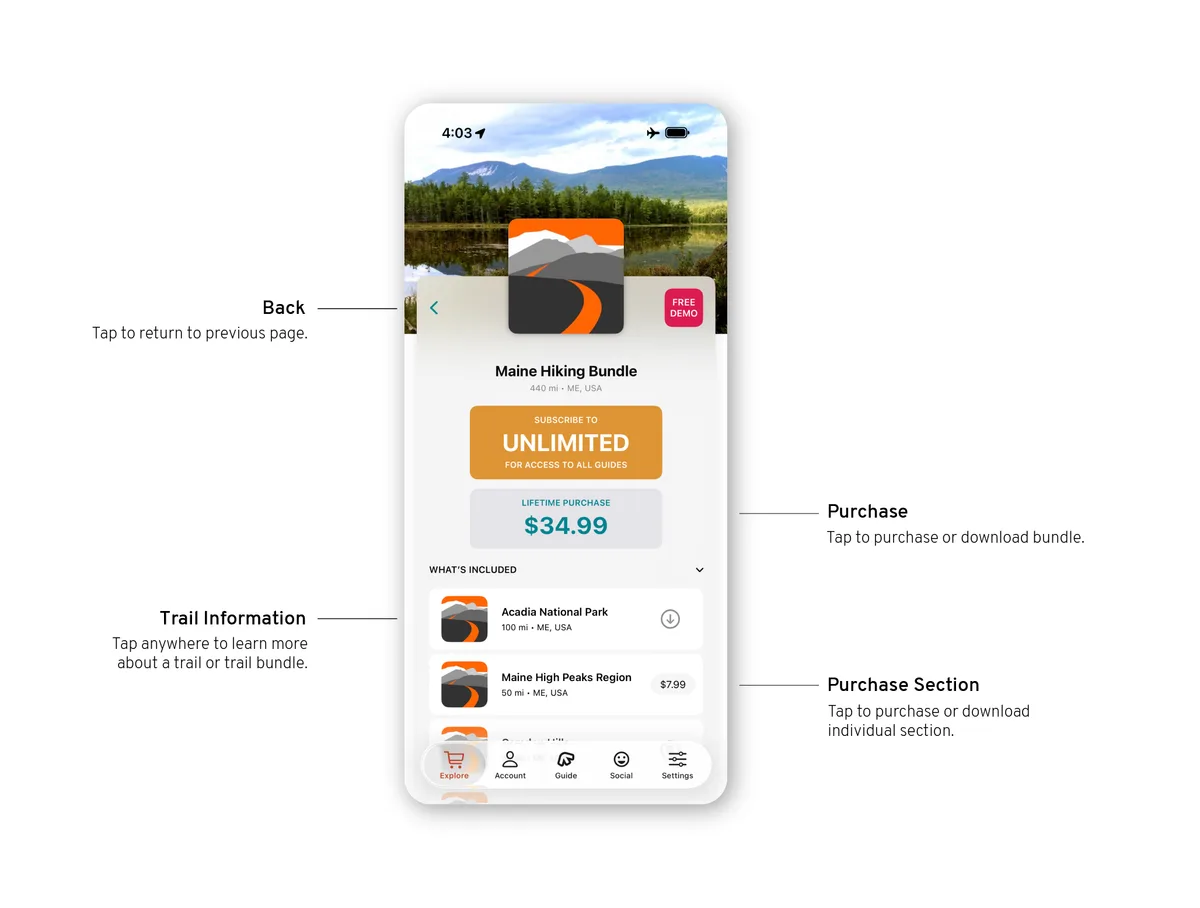
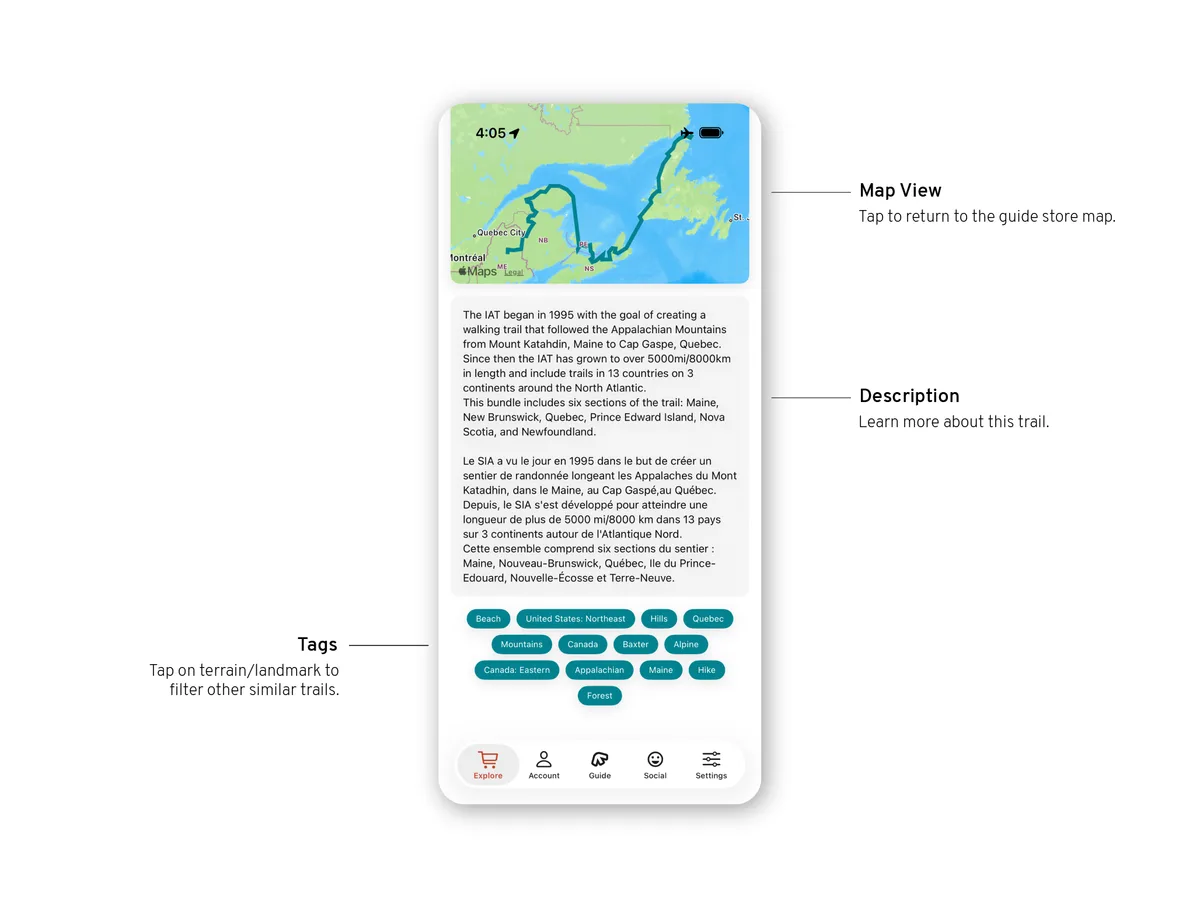
A guide's page shows its price, its sections and bundles, and the Download button once it is yours. Download the guide, then its offline maps and photos, while you still have service.
Explore guides
Tap Explore guides in the main menu. This is where you browse and buy new guides, switch sections and open the guides you own. The main menu is explained in App basics.
Filters
Narrow the list by activity, region and more.
Guide details
A guide's page shows its price, its sections and bundles, and opens the guide once it is yours.