Check-ins
A Check-in sends your location, and a message if you like, to the people who follow you in FarOut. Followers see your Check-ins without buying the guide. Check-ins are only sent once your phone has cell service or Wi-Fi, so they cannot be used to reach emergency services.
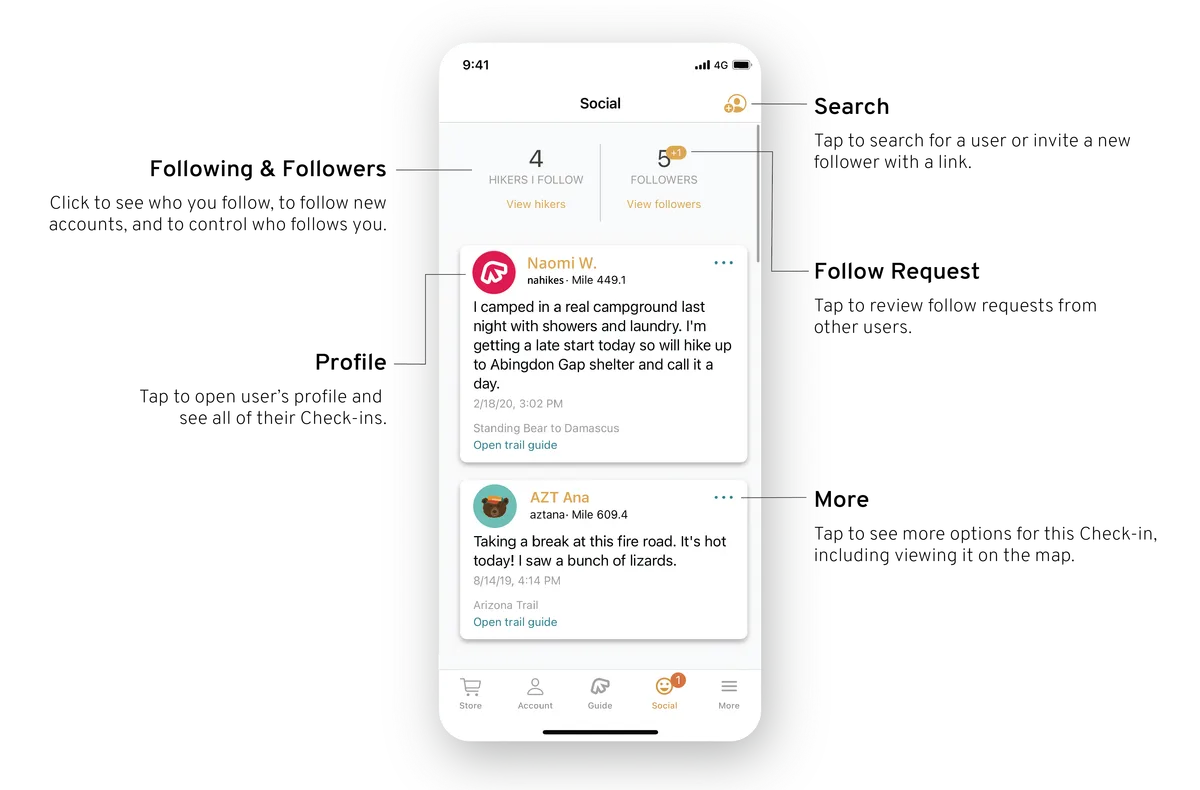
The Social tab
Followers, the people you follow, your Check-ins and your friends' Check-ins are all in the Social tab. You do not need a guide to use it.
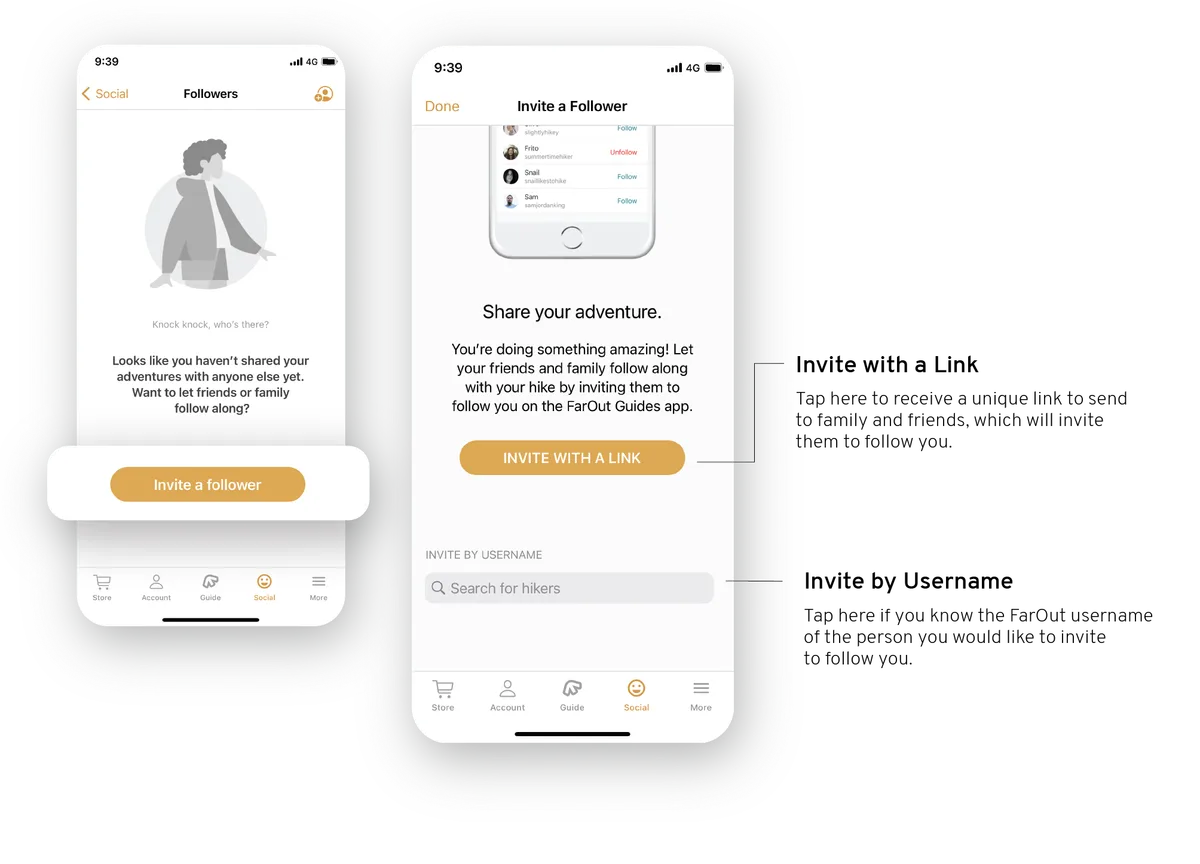
Invite people to follow you
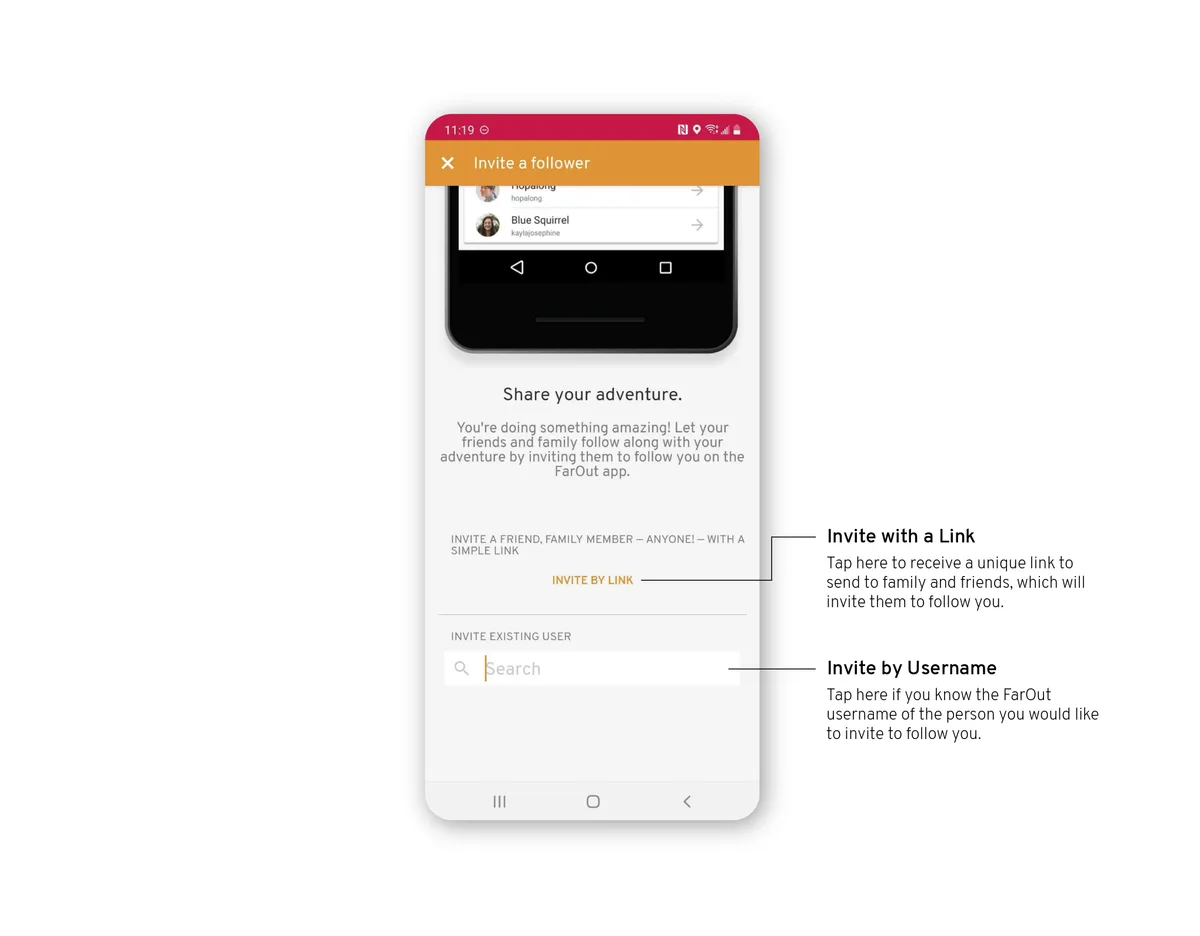
Open Followers from the Social tab, then tap Invite a follower. Choose Invite with a link to share an invitation, or search for someone's FarOut username.
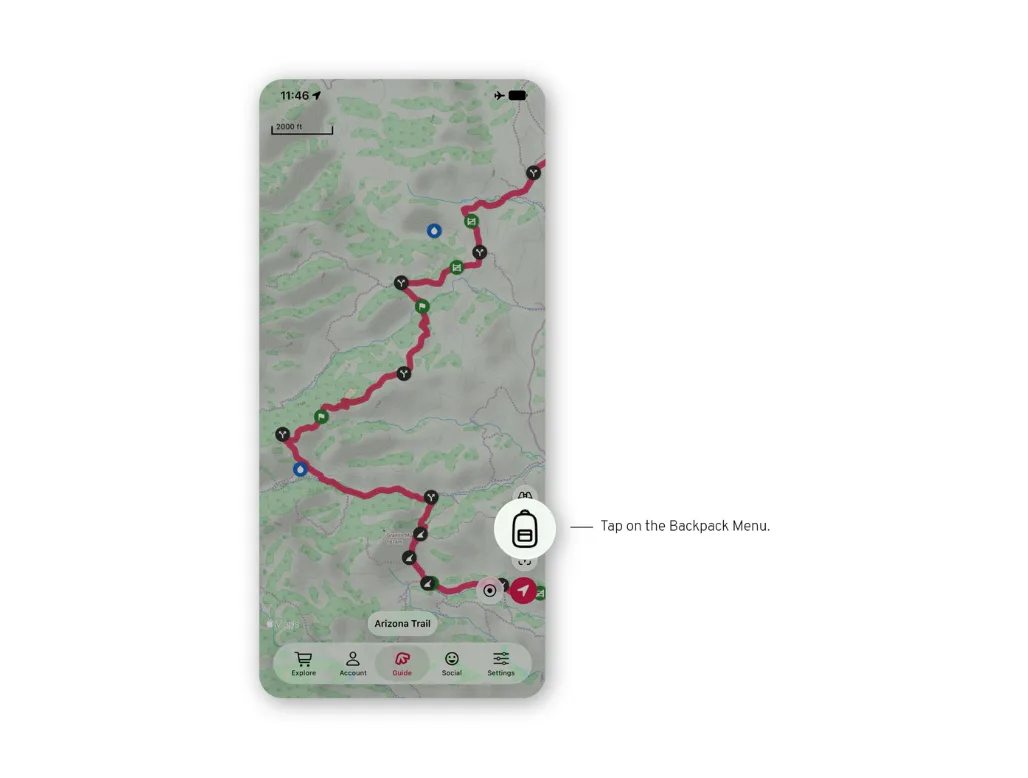
Send a Check-in
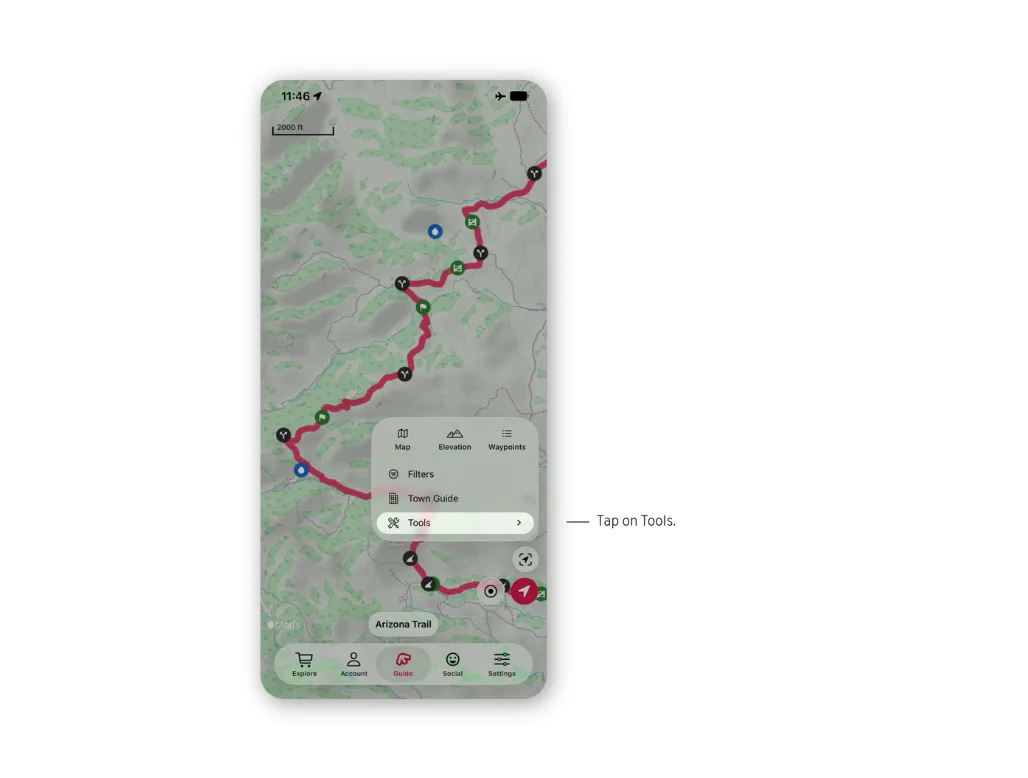
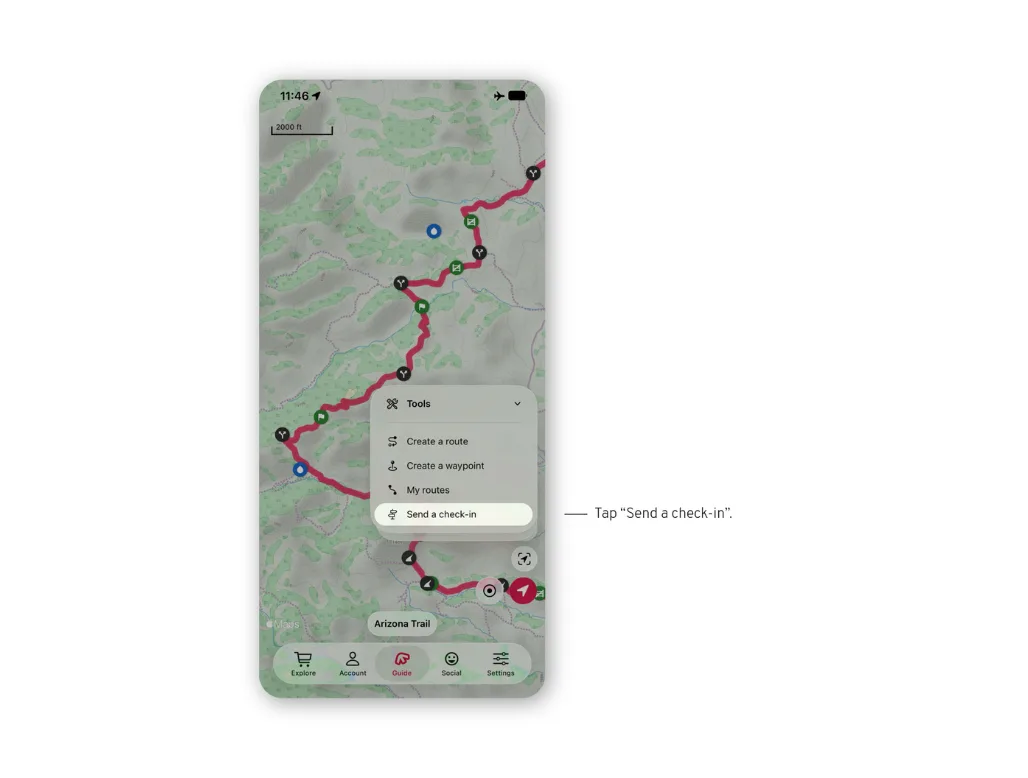
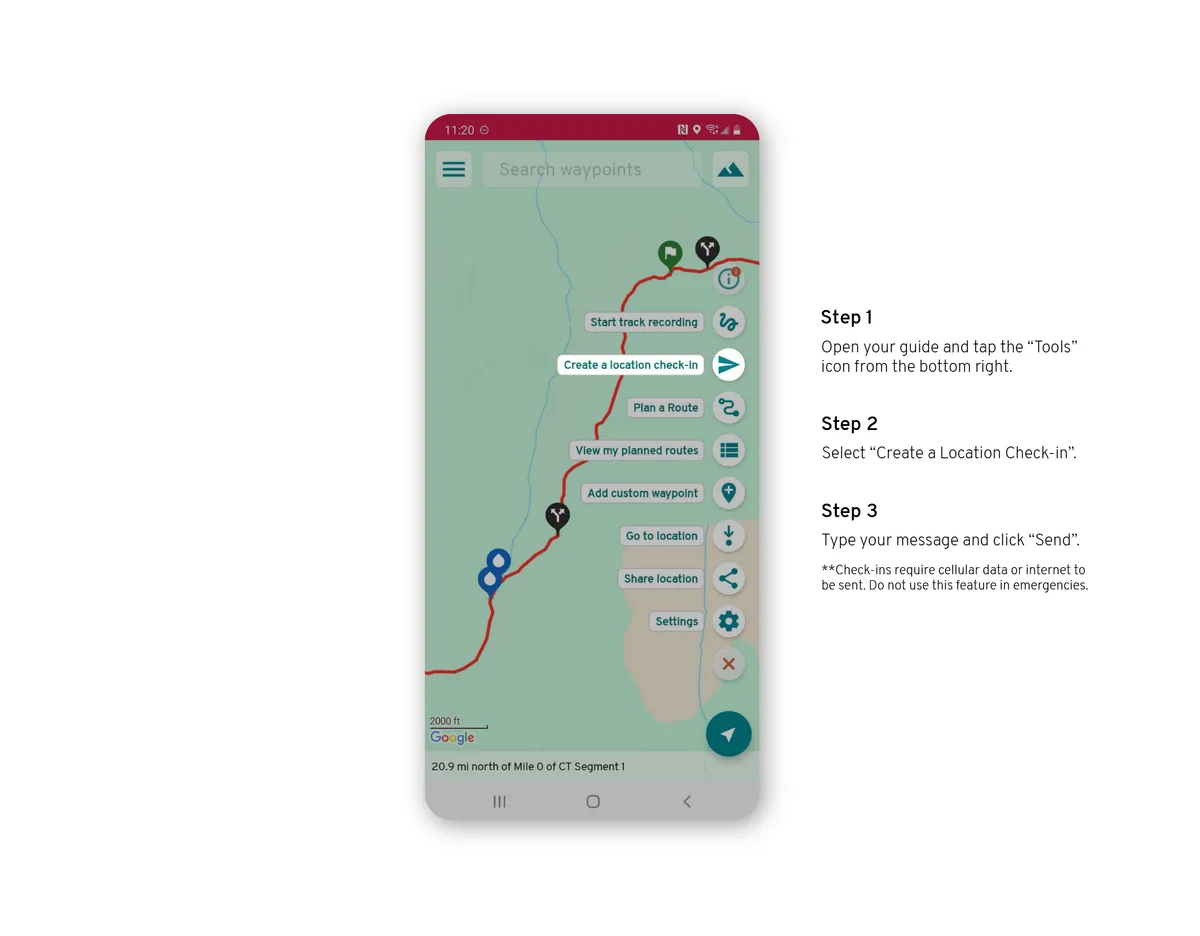
Open the backpack menu, tap Tools, then Send a Check-in. Add a message if you like, and send. It goes out as soon as your phone has service.
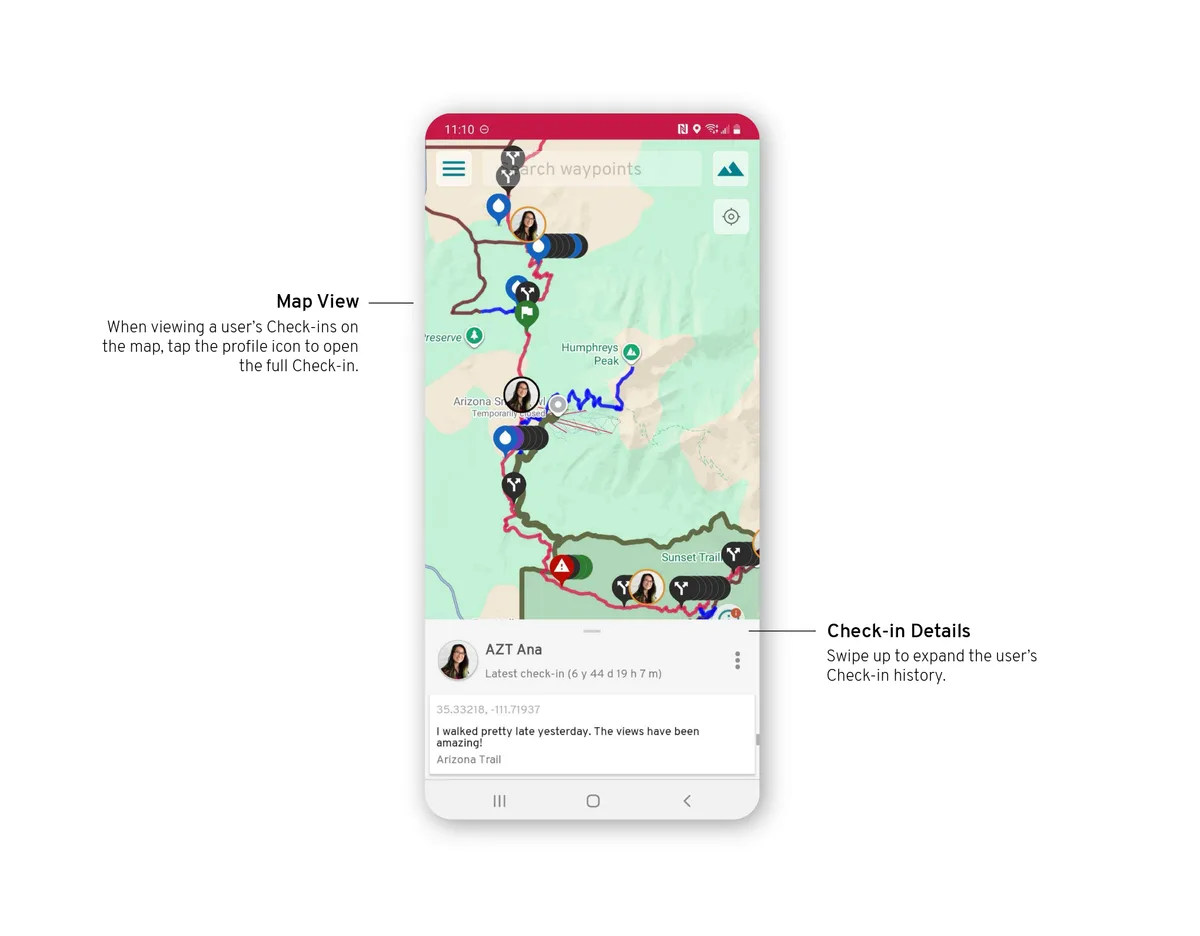
Check-ins on the map
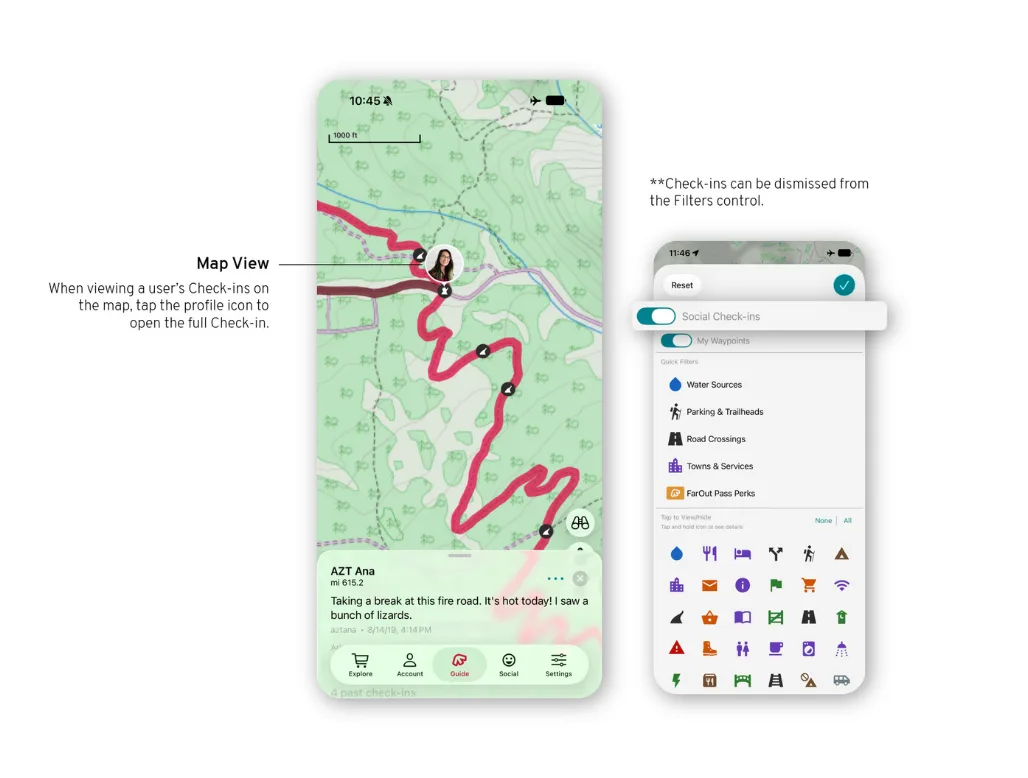
Your friends' Check-ins appear on your map.
The Social feed
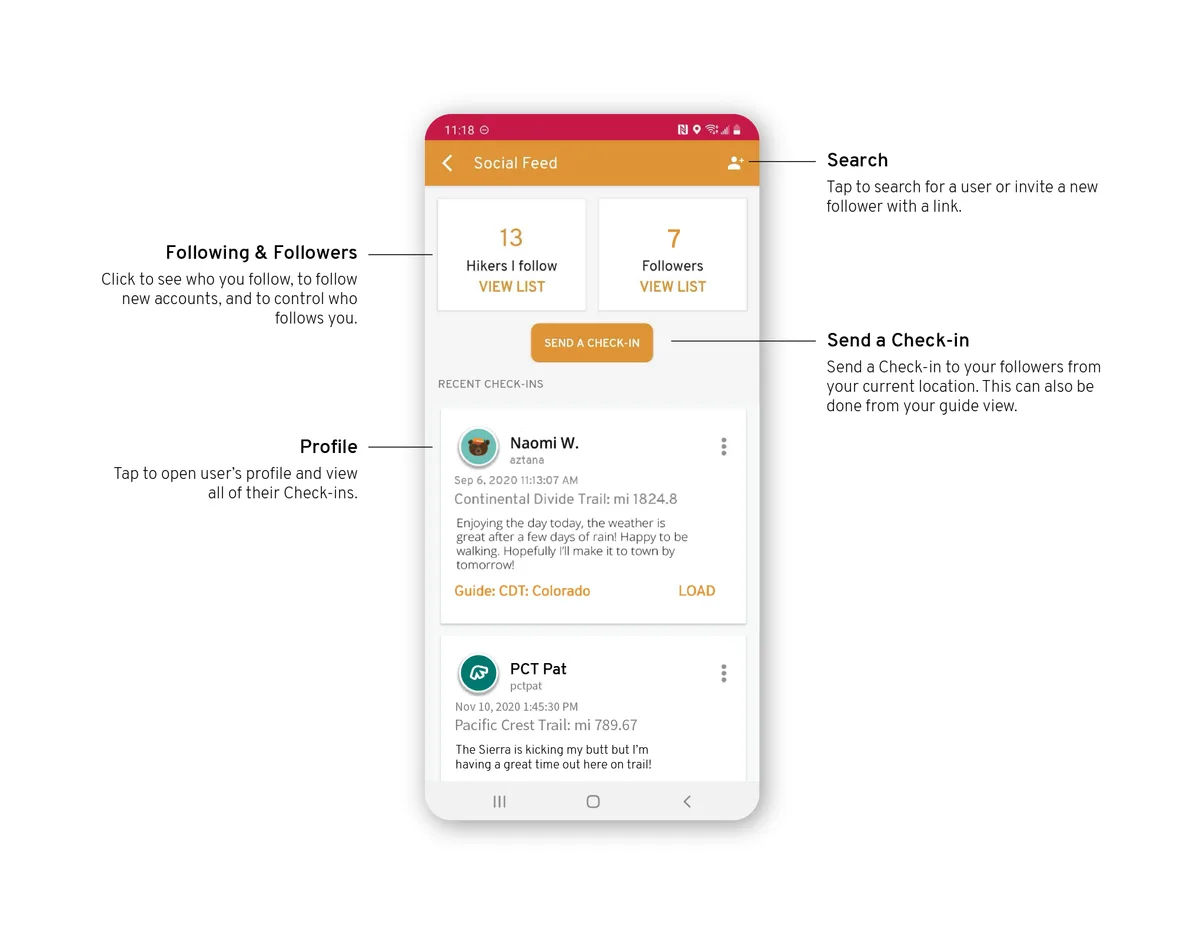
Open the Social feed from the main menu (three bars, top left) to see followers, follow people, send Check-ins and read your friends' Check-ins.
Invite people to follow you
On the Invite a follower screen, tap Invite by link to share an invitation, or search for someone's FarOut username.
Send a Check-in
From the map, open the tools and choose Create a location check-in. Add a message if you like, and send. It goes out as soon as your phone has service.
Check-ins on the map