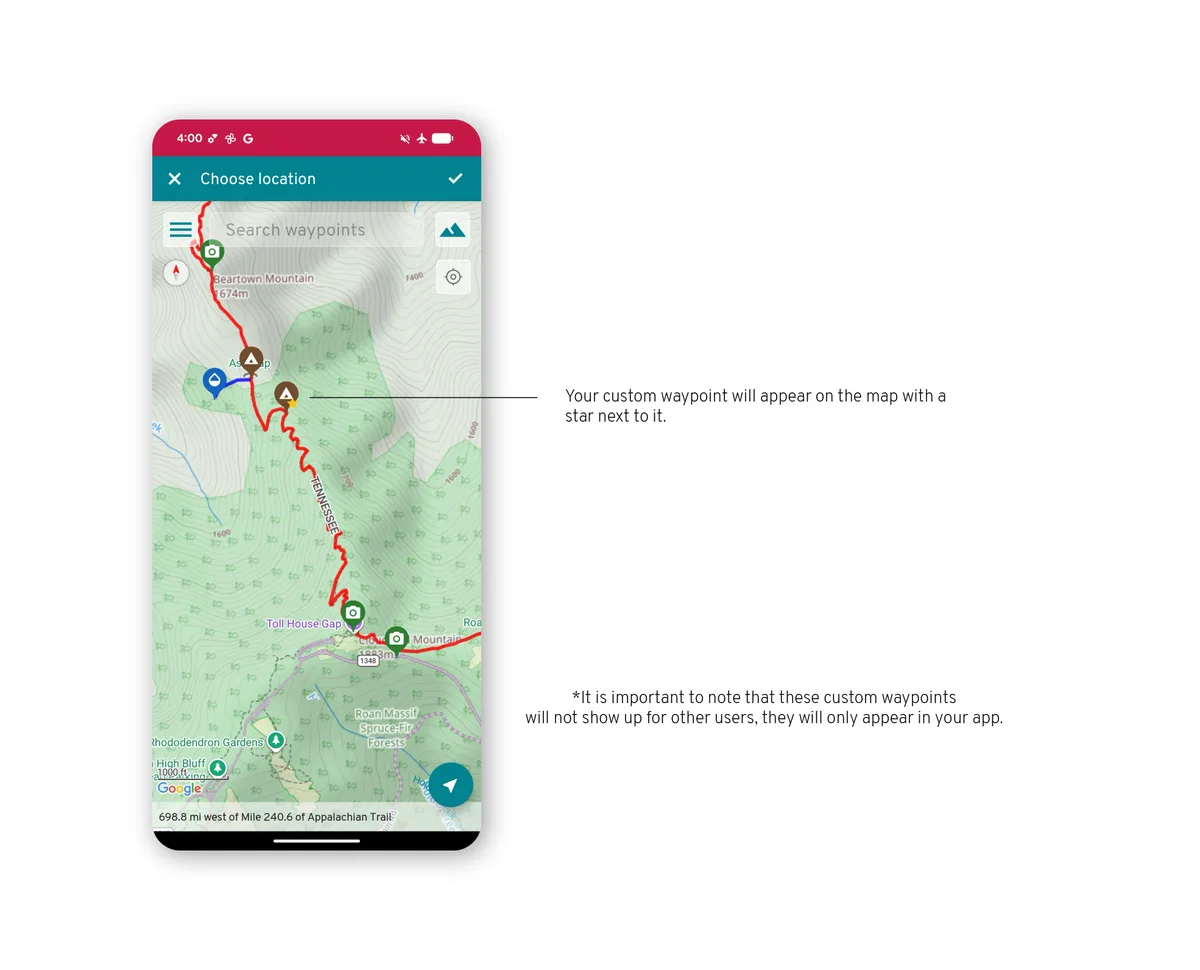
Custom waypoints
A custom waypoint is a spot you add to a guide yourself: a campsite you found, a car, a cache. It is saved to your account, so it shows up on your other devices and on this website's map too.
Open the tools
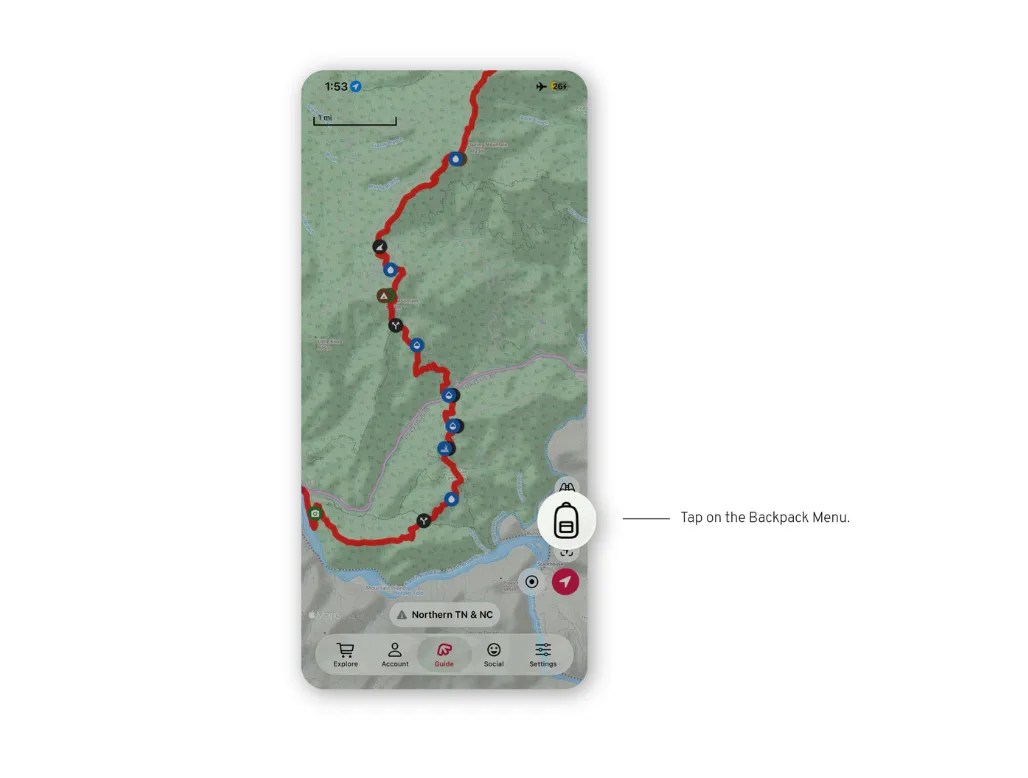
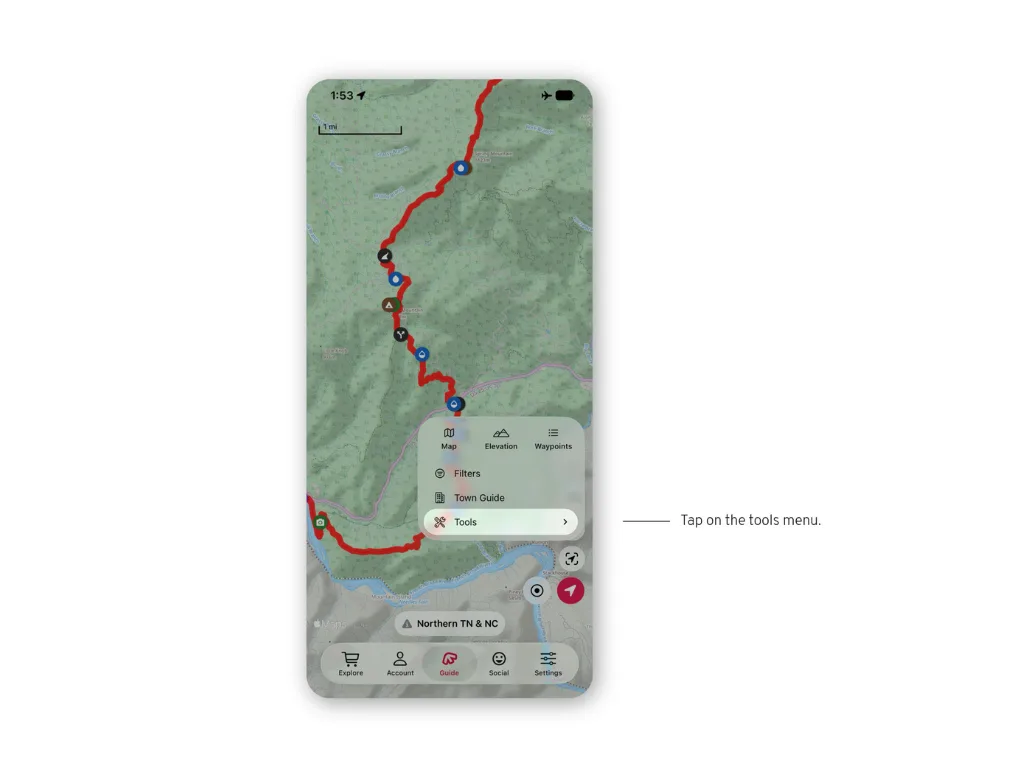
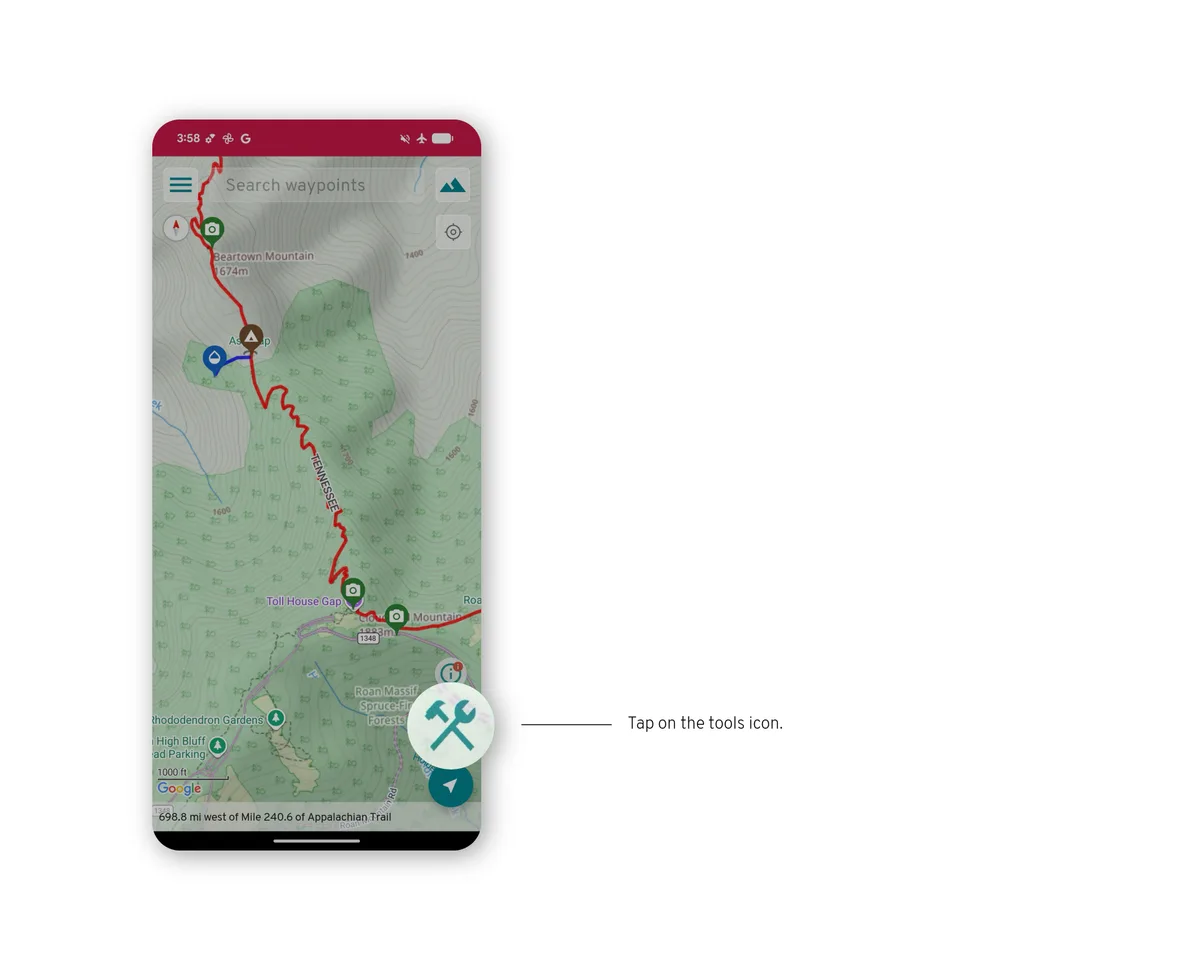
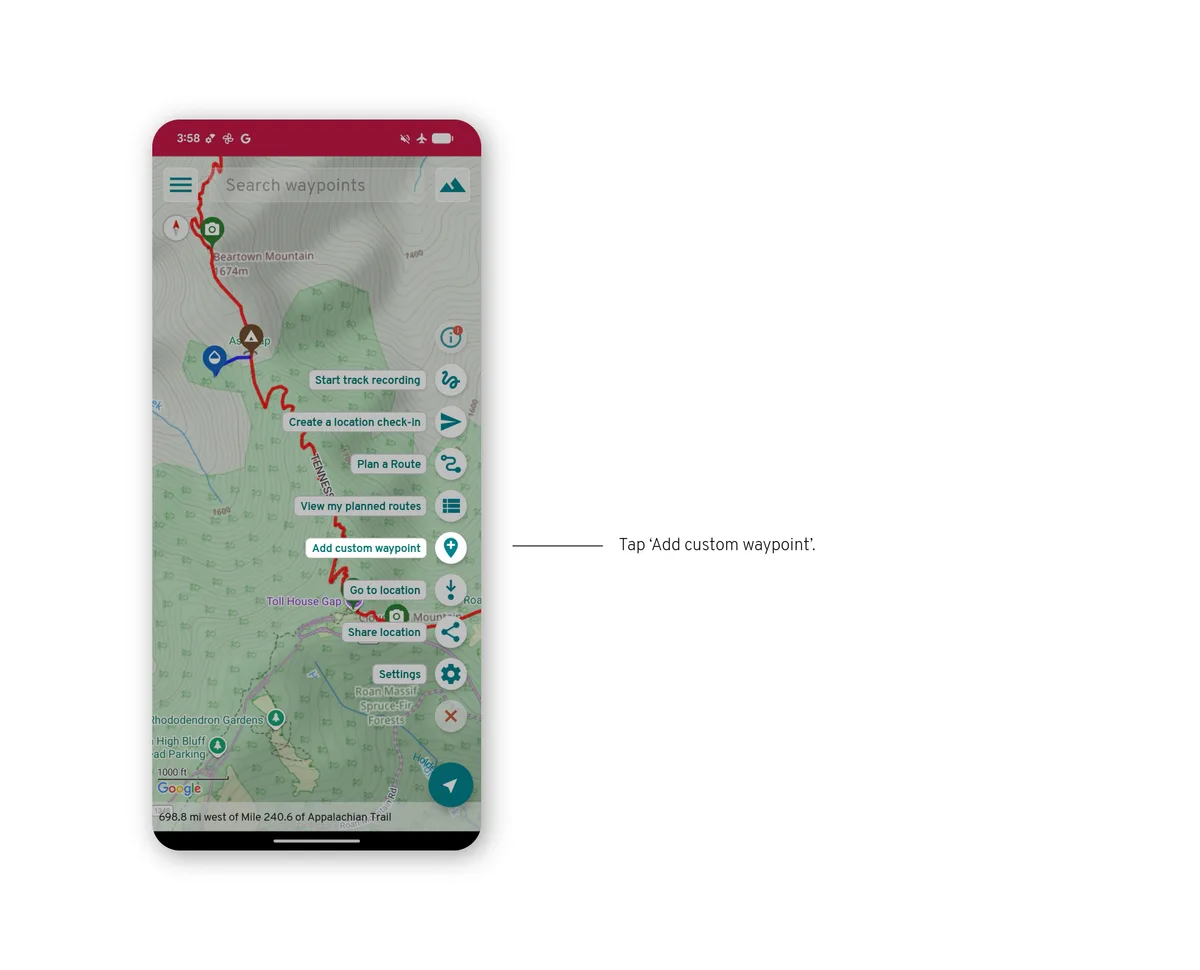
Open the backpack menu (bottom right) and tap Tools.
Create a waypoint
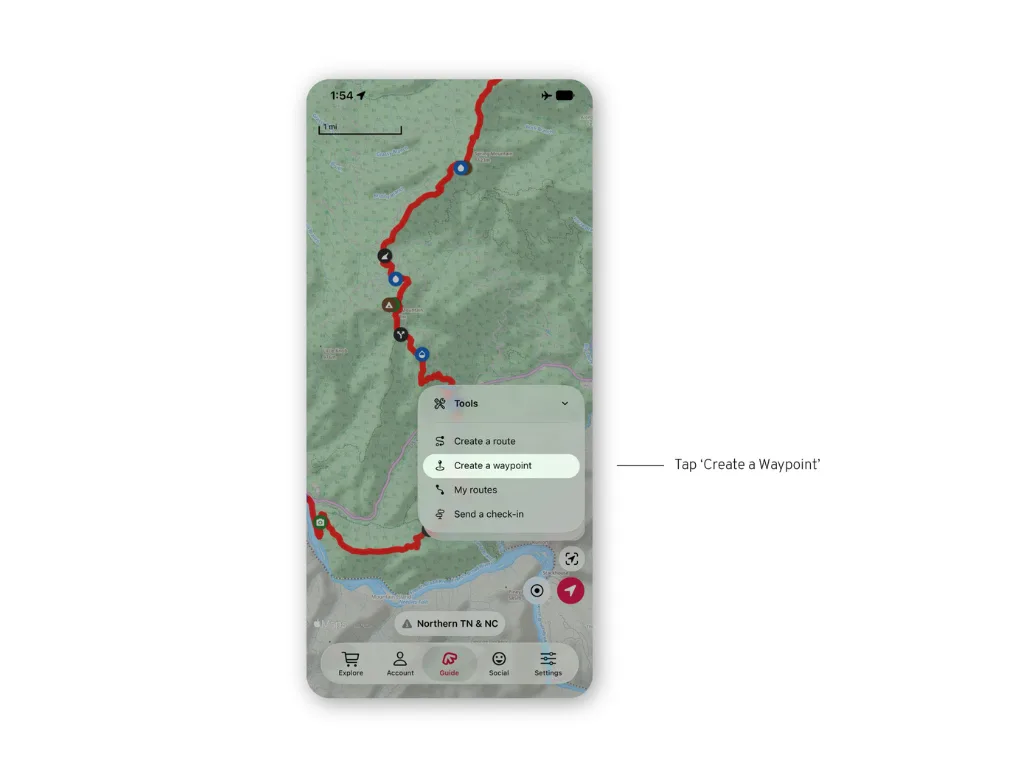
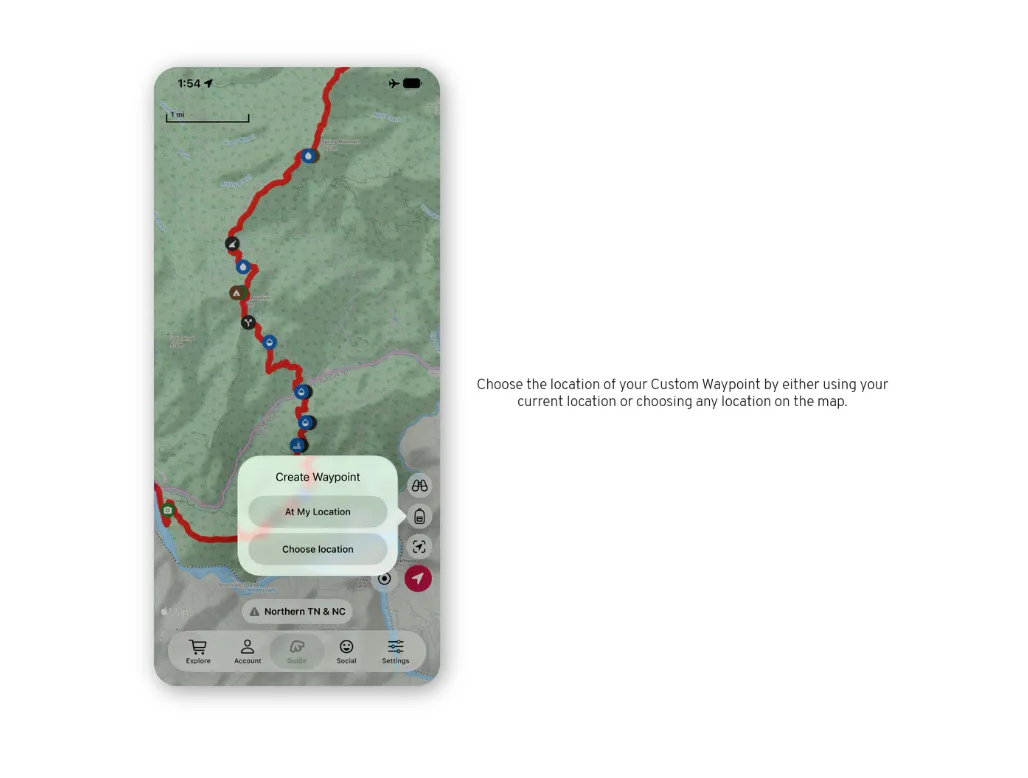
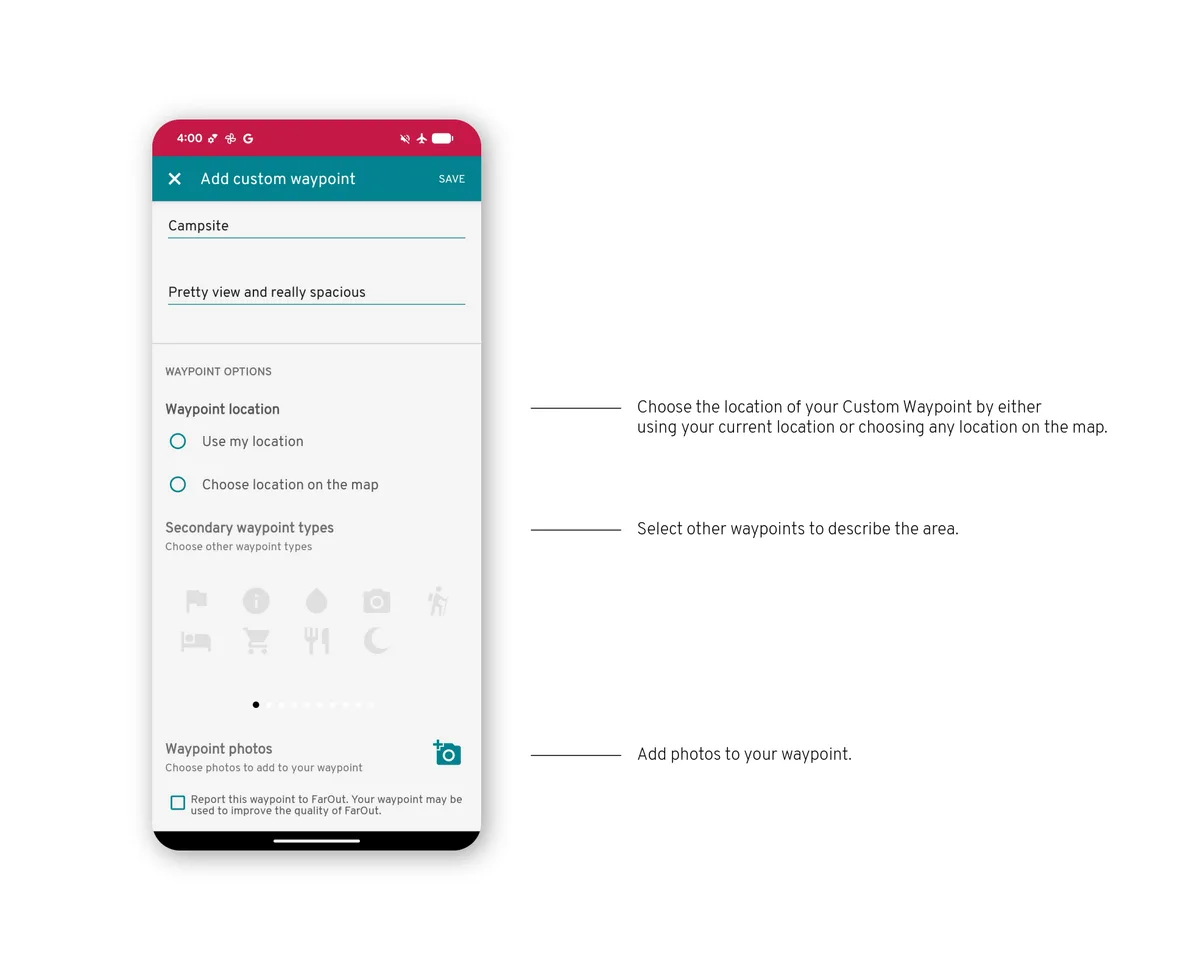
Choose Create a waypoint, then place it: at your location, or by moving the map under the pin.
Details
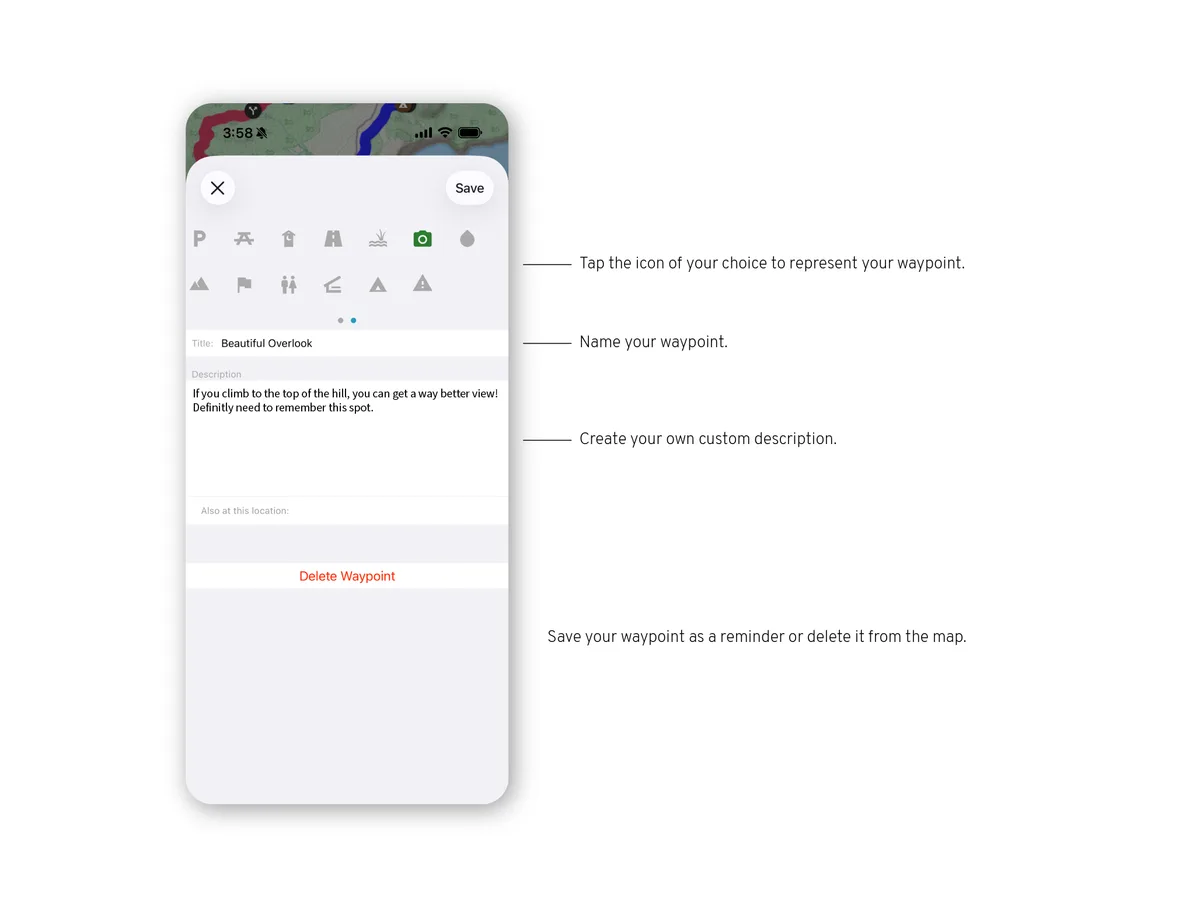
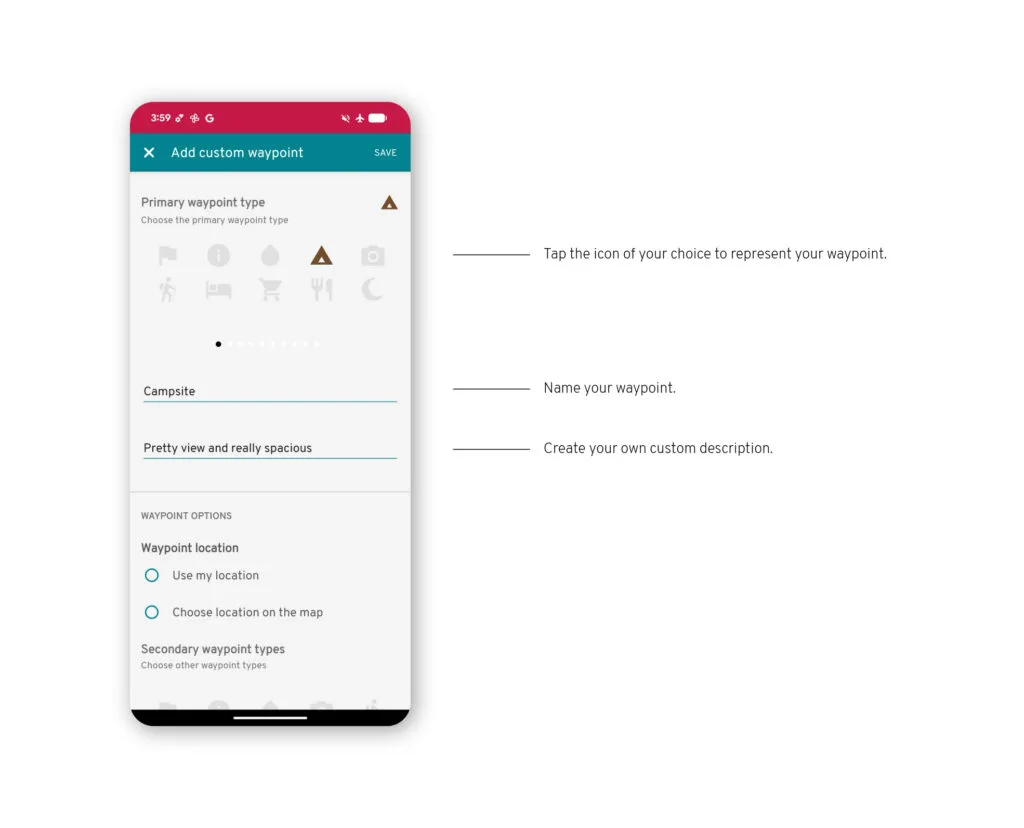
Give it a name, pick an icon and add notes. Save, and it appears on the map with the guide's own waypoints.
Open the tools
From the map, open the tools and choose Create a waypoint.
Details
Give it a name, pick an icon and add notes.
On the map
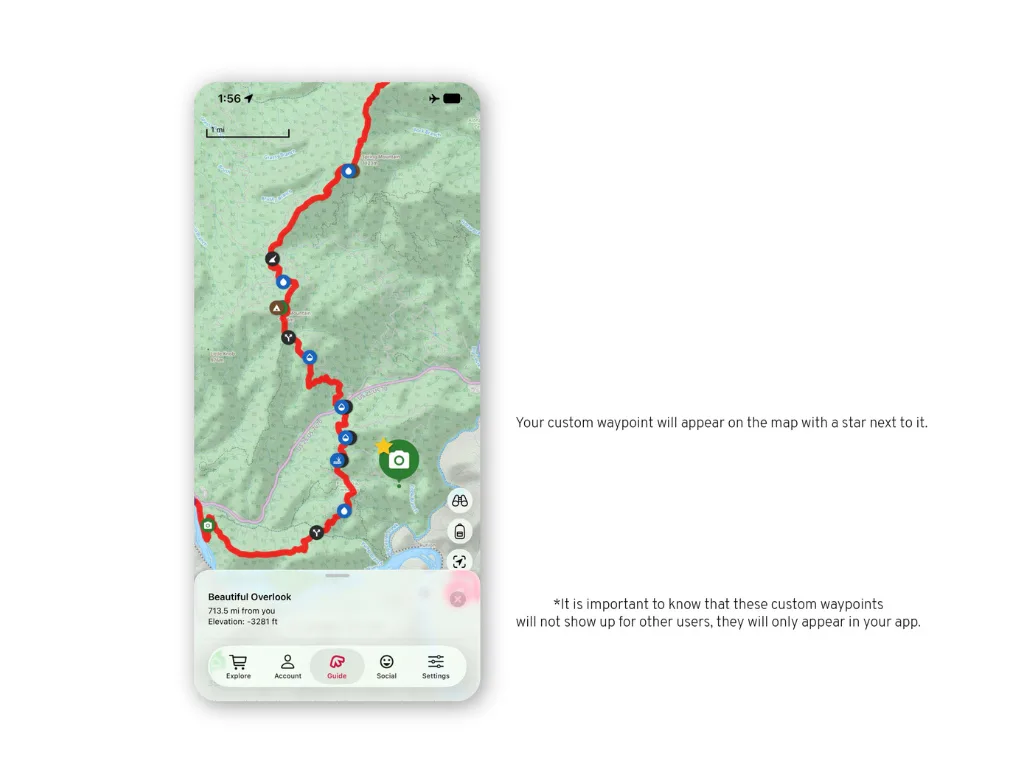
Save, and it appears on the map with the guide's own waypoints.