Filtering, flagging and reporting
Filter comments by topic, flag a comment, or report incorrect waypoint information. For more questions, see Waypoints & comments.
Comment filtering
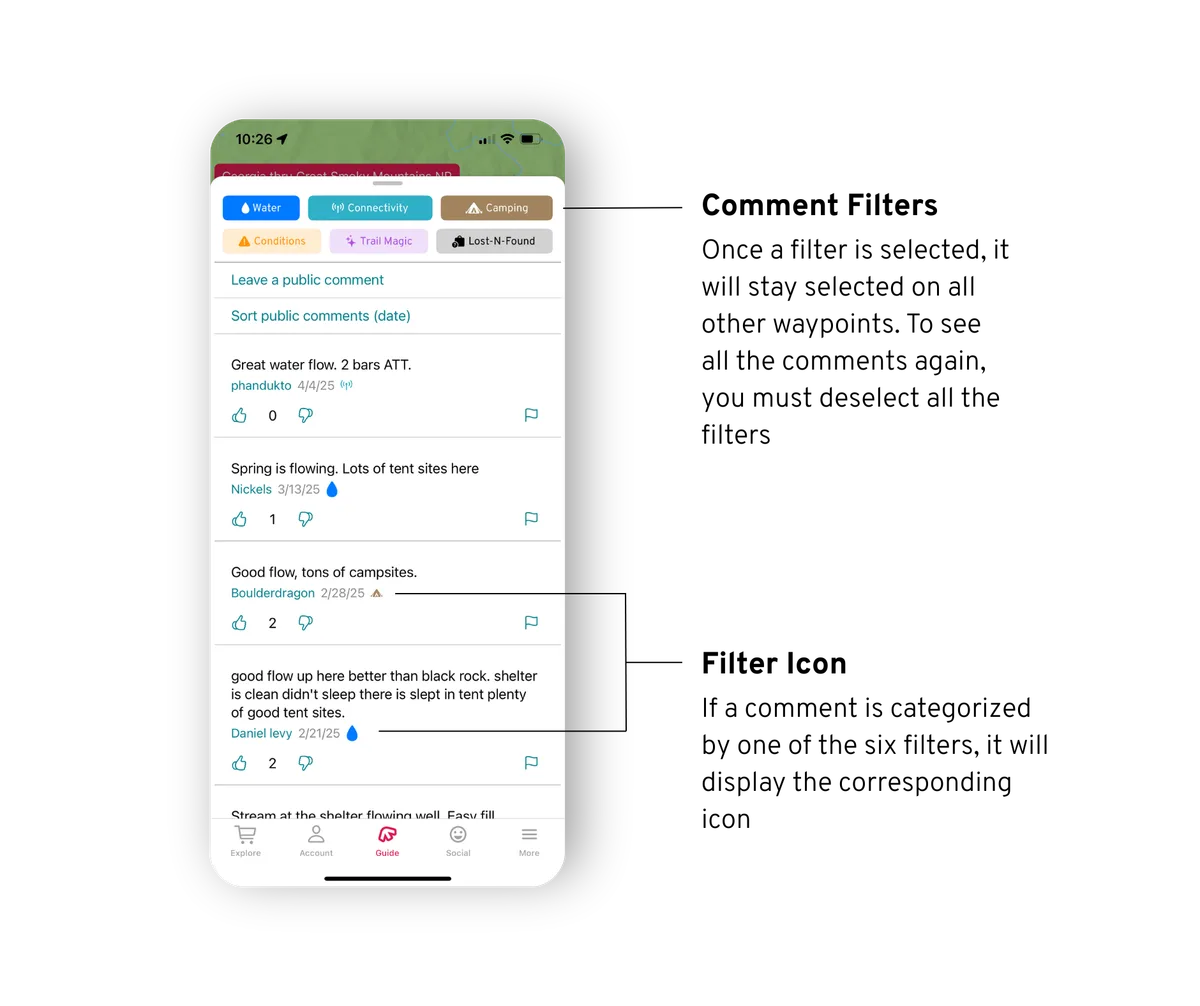
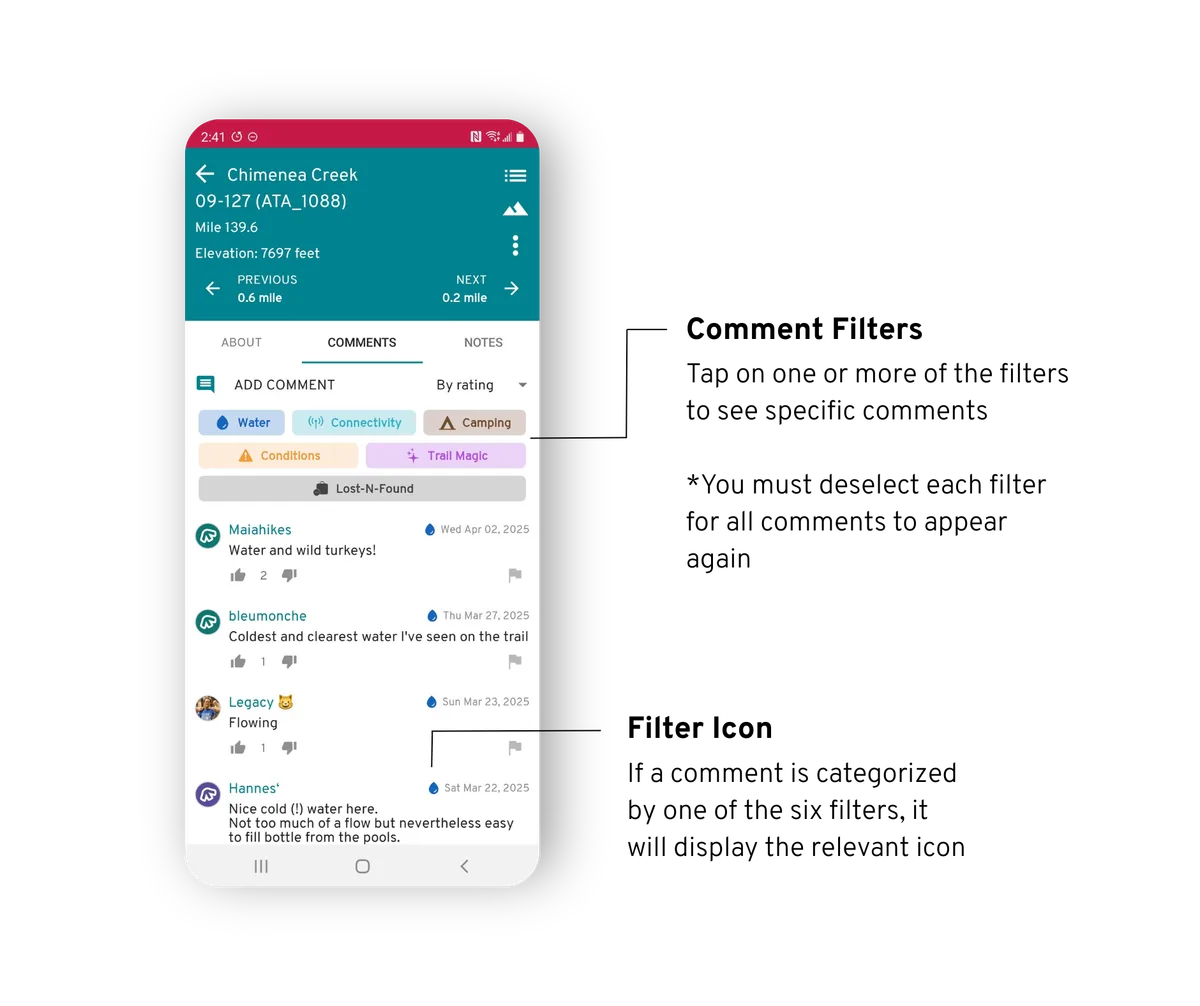
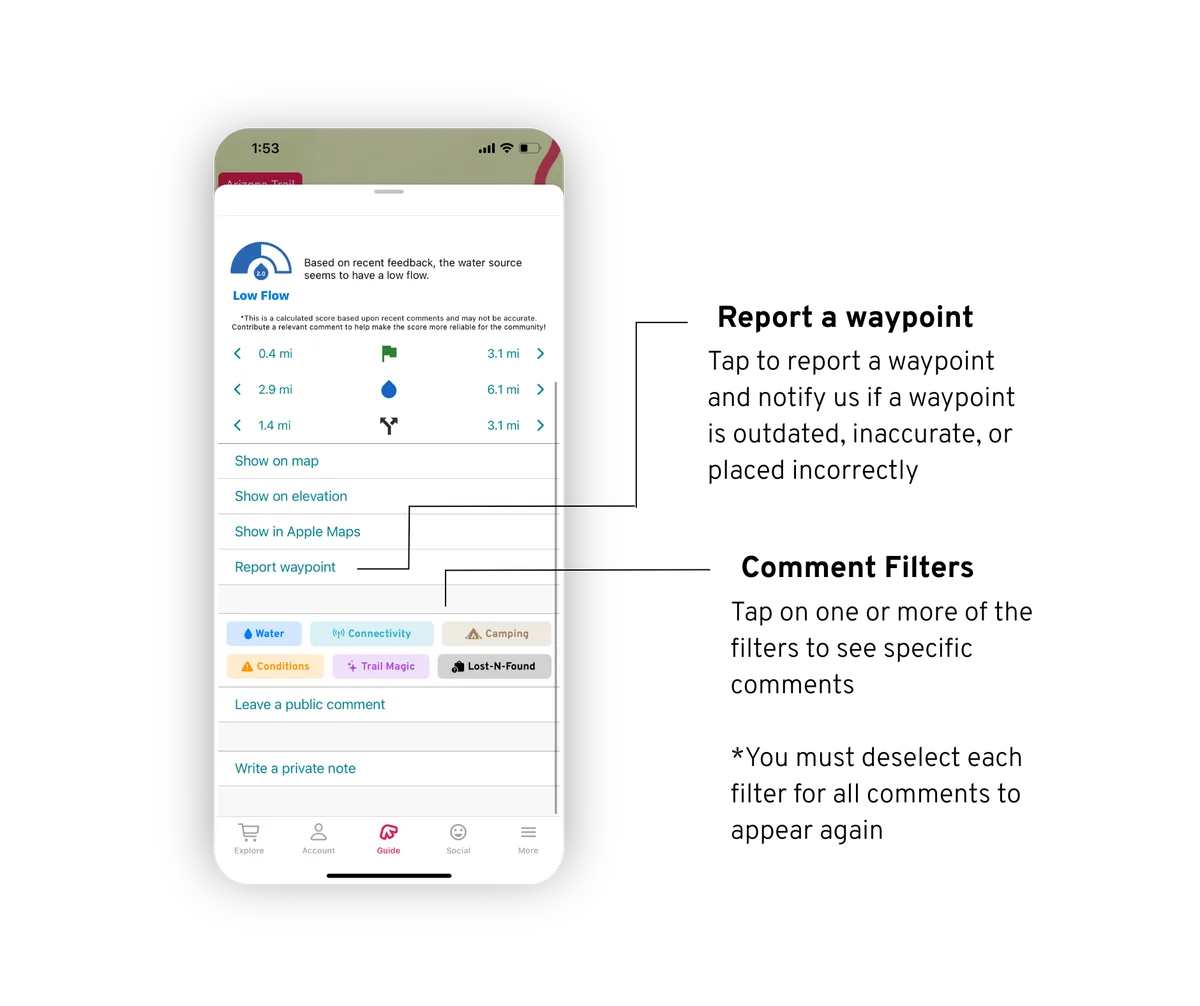
In a waypoint's comments, tap one or more filters (Water, Connectivity, Camping, Conditions, Trail magic, Lost-n-found) to see only those comments. A filter stays on for every waypoint until you turn it off; to see all comments, turn every filter off. A filter is on when its button is dark with white text.
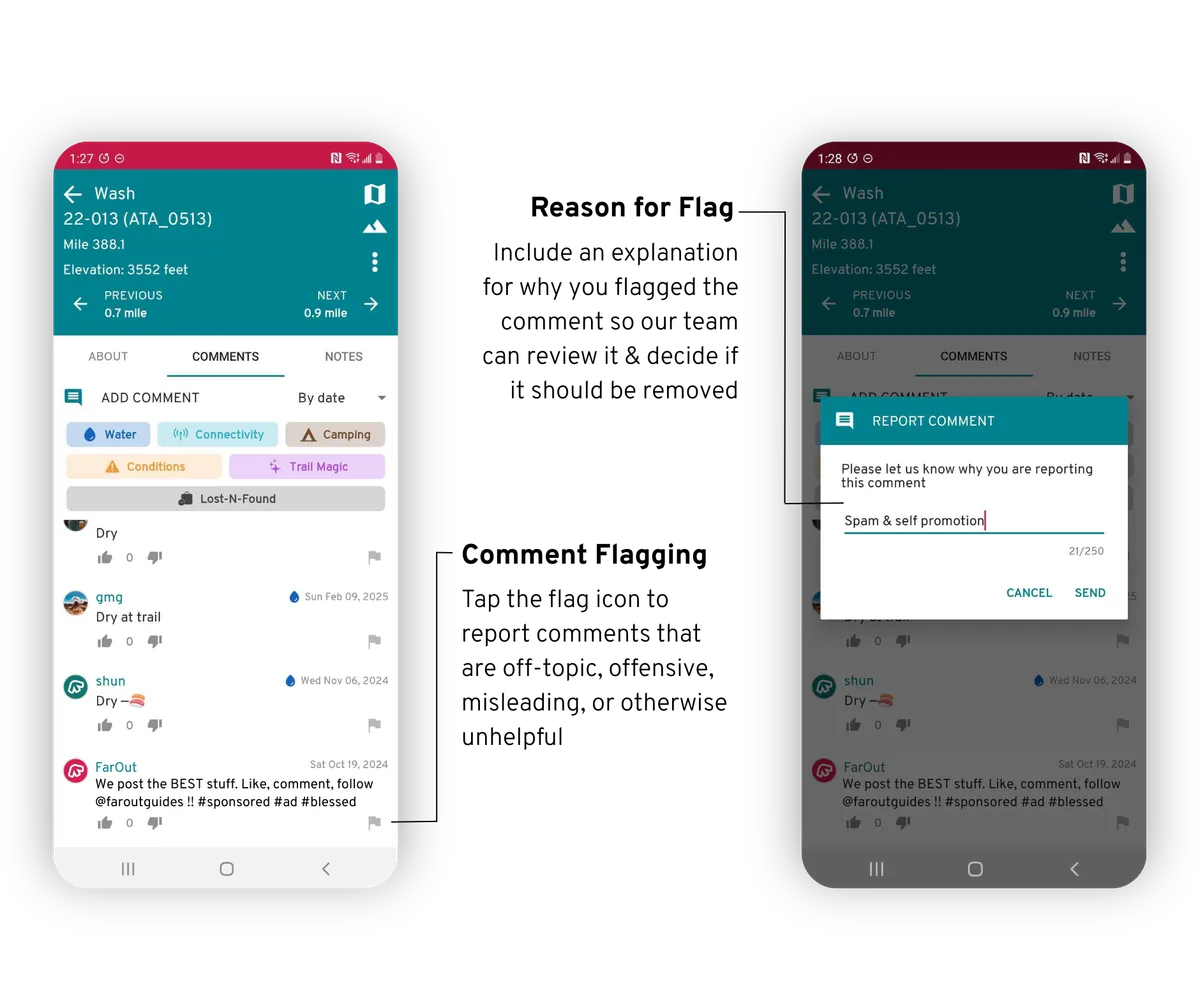
Comment flagging
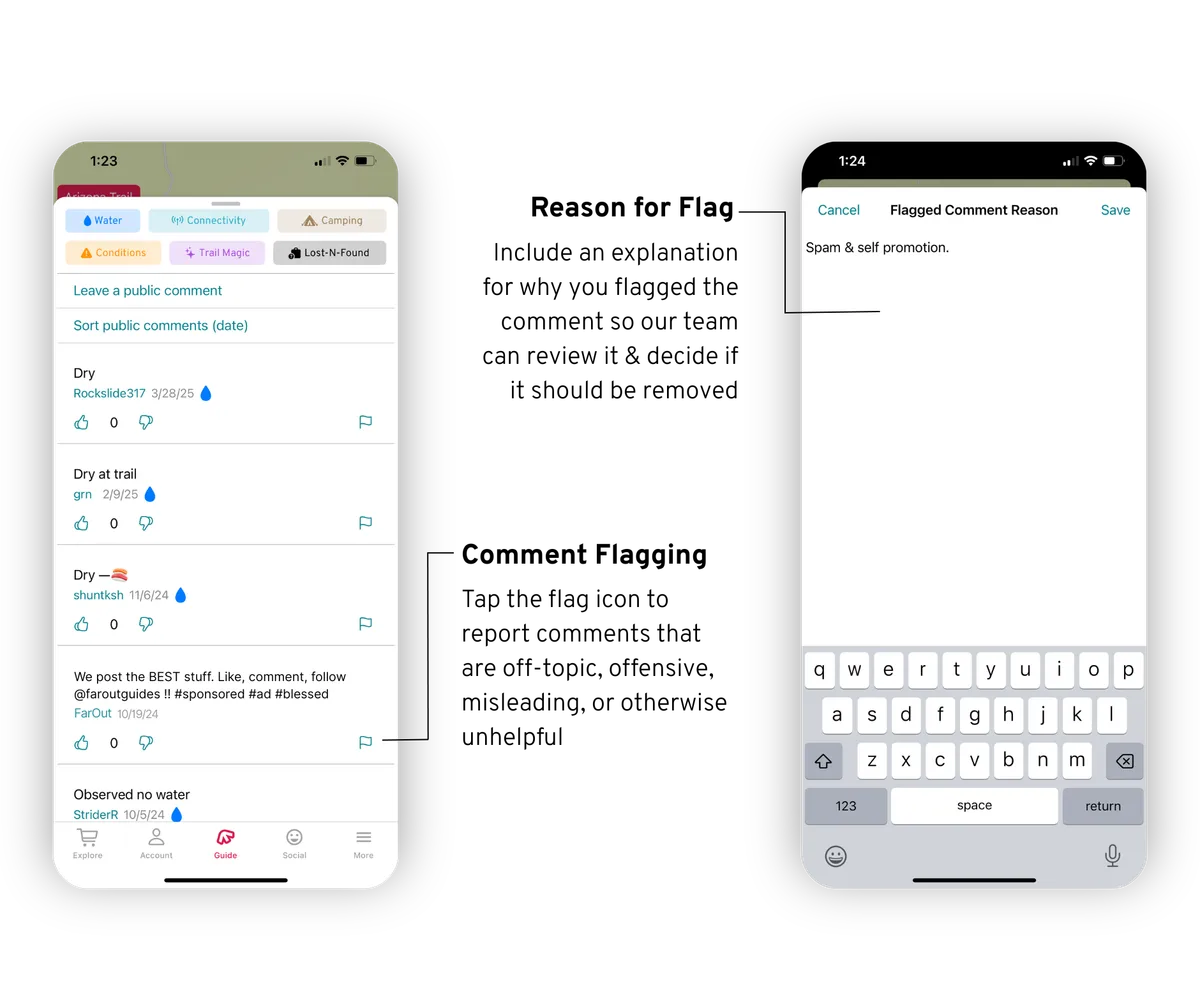
Tap the flag beside a comment that is off-topic, offensive, misleading or otherwise unhelpful, and say why. Flags are anonymous and go to our team only.
Waypoint reporting
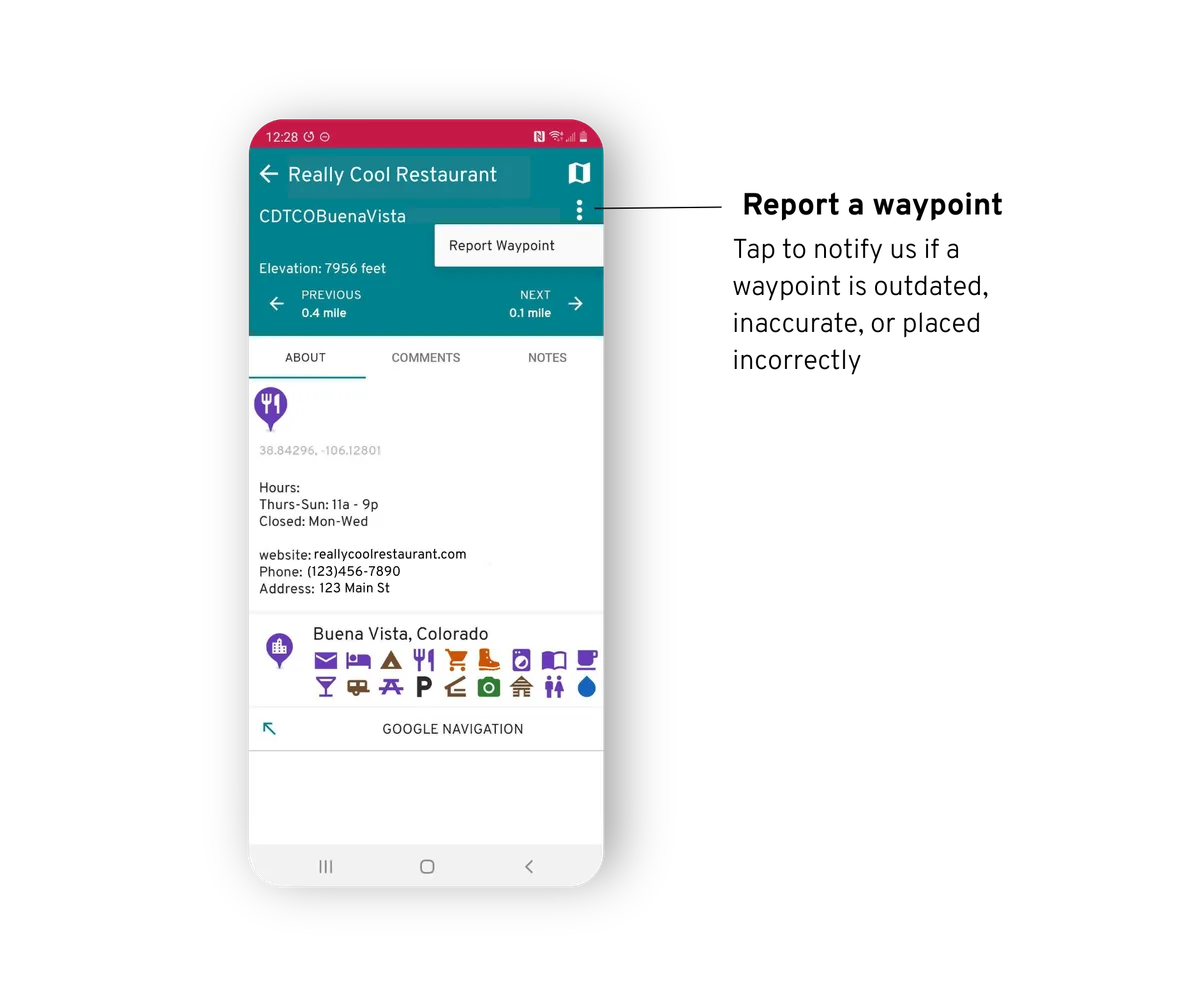
Tell us when a waypoint is outdated, inaccurate or in the wrong place.
Open the waypoint and tap Report waypoint under its description.
Open the waypoint, tap the three dots (top right) and choose Report waypoint.